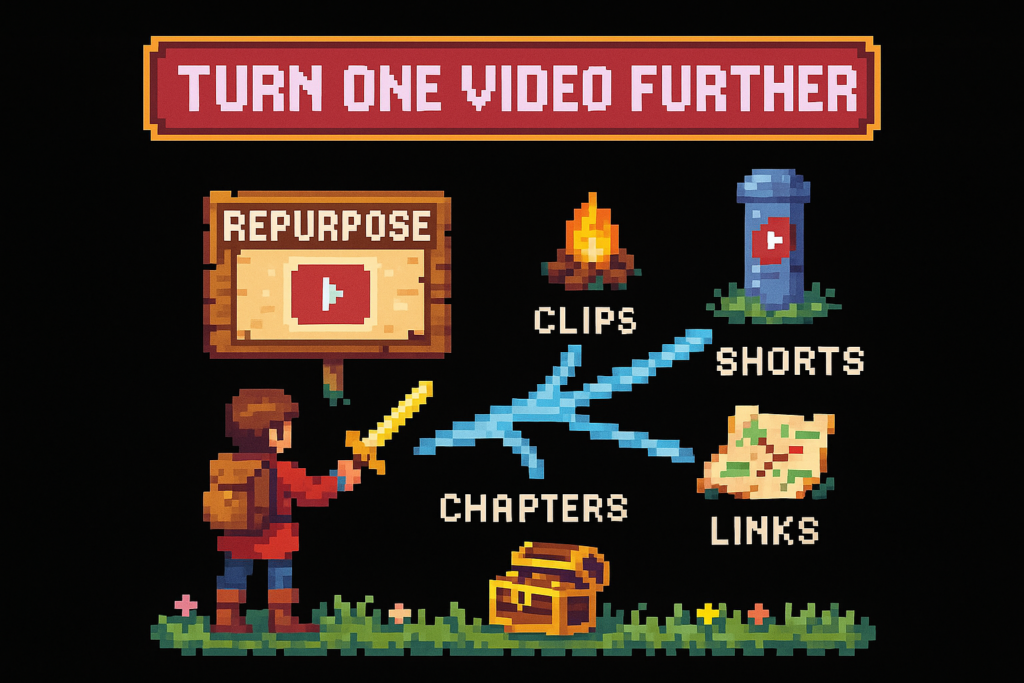
Repurposing YouTube content means turning one video into multiple format-specific assets such as Shorts, clips, chapter timestamps, tags, posts, and affiliate-ready descriptions. Done well, it is not reposting the same file everywhere. It is a repeatable workflow for extracting the useful parts of one upload and adapting them for distribution, discoverability, and monetization.
You finished a 20-minute video, hit publish, and then the real bottleneck starts. Now you need Shorts, clips, timestamps, tags, and product links, usually by pulling pieces out by hand.
That work isn't cleanup. It's distribution, discoverability, and monetization. Treat it like an afterthought, and every upload becomes a half-finished asset.
If every upload already contains clips, chapters, tags, and product mentions, why rebuild them by hand?
What counts as repurposing, and what doesn't
Repurposing YouTube content means turning one published or recorded video into multiple format-specific assets: Shorts, clips, chapter markers, tags, posts, and affiliate-ready descriptions. Effective reuse doesn't mean reposting the same file everywhere. Instead, it means pulling reusable parts from the transcript, structure, and product mentions, then adapting them to each platform and use case.
Repurposing vs reposting the same video
Here's the standard: if the output wasn't adapted for a specific format, it probably wasn't repurposed.
Uploading the same 20-minute horizontal file to another platform is cross-posting. Cutting a new intro, changing pacing, rewriting the hook, and publishing a vertical version for Shorts is repurposing. Rebuilding the whole thing with new structure, B-roll, and narration is a full re-edit.
That distinction matters because platforms don't reward lazy defaults. A long YouTube upload, a 35-second Short, and a companion post all need different packaging, even when they come from the same source material.
A simple example: a creator publishes a 22-minute desk setup review on YouTube. They don't just repost it. They cut a 35-second "best budget pick" clip for Shorts, pull timestamps for chapters, extract every product mention for affiliate links, and reuse the transcript to build tags. Same source video, different outputs.
Myth: repurposing means uploading the same file everywhere. Reality: real reuse changes the format, hook, pacing, and metadata to fit the channel.
| Approach | What it is | Typical output | Best use |
|---|---|---|---|
| Repurposing | Turning one video into multiple native assets | Shorts, clips, chapters, tags, posts, link blocks | Distribution and monetization efficiency |
| Cross-posting | Publishing the same file on multiple platforms | Identical video everywhere | Fastest option, weakest adaptation |
| Re-editing | Rebuilding the video substantially | New cut, new structure, new narrative | High-effort content refresh |
The formats that qualify as real repurposed assets
Creators usually think only in terms of video clips. That's too narrow.
A real post-upload system includes visual assets and metadata assets: Shorts, clipped moments, chapter timestamps, tag sets, description blocks, affiliate link blocks, and even community post copy. If the output helps distribution, skimmability, or revenue, it counts.
This can happen right after recording, right after upload, or months later as a backfill project in YouTube Studio. It also doesn't require a new script. A tutorial creator often needs a clean asset list more than new creative: three clip candidates, one Short angle, timestamps, tags, and a description with the tools mentioned on camera.
Before you can systemize anything, you need a clear list of what the system should produce.
Myth: repurposing is only for big channels with editors. Reality: solo creators benefit most, because one repeatable workflow can save hours per upload.
If you're working on channel structure too, pair this with a broader YouTube SEO guide.
The asset inventory inside every YouTube upload
Content assets, what viewers hear and watch
Every upload contains more reusable material than most creators think.
The obvious assets are hooks and highlights. The less obvious ones are story turns, objections, product demos, mistakes to avoid, before-and-after moments, punchlines, and clean summary lines. Those are the raw ingredients for clips and short-form edits.
Transcript analysis speeds this up because it lets you scan the spoken structure instead of scrubbing the timeline manually. You can spot the contrarian opener, the moment the topic shifts, the section where a product gets mentioned, and the line that would work as a caption or chapter title.
A podcast-style creator is a good example. They might assume a 45-minute episode is too loose to reuse. But the transcript often reveals five strong moments fast: a sharp opener, one tool recommendation, one mistake to avoid, one product mention, and a clean closing takeaway. That's enough for multiple clips without recording anything new.
If you don't inventory the raw material first, the rest of the workflow stays manual.
A quick checklist of reusable content assets:
- Opening hooks
- Topic shifts
- Contrarian takes
- Product demos
- Objections and answers
- Before-and-after moments
- Punchlines or quotable lines
- Closing takeaways
- Clean excerpts for Shorts
- Spoken cues that should become timestamps
Myth: only long-form educational videos can be reused this way. Reality: reviews, tutorials, interviews, podcasts, and roundups all produce clip-worthy moments.
Metadata and monetization assets, what creators usually forget
Most creators treat metadata like admin work. That's a mistake.
Chapters, timestamps, tags, title variants, description snippets, CTA lines, and affiliate product mentions are all reusable assets. They don't look as exciting as clips, but they often have more impact on search visibility and monetization consistency.
The biggest miss is product mentions that never get linked. A tech reviewer might mention six products in a video and only link two in the description. That leaves revenue on the table, especially if viewers are ready to buy and don't want to hunt for the exact model.
A proper reuse workflow catches all six mentions, applies the creator's Amazon Associates tracking ID, and carries those links into the long-form description, related clips, or a companion post. For YouTube's own guidance on chapters and metadata structure, see YouTube Help's chapter documentation. For affiliate disclosure and program rules, use the official Amazon Associates Program policies.
For related cleanup systems, see YouTube chapters SEO, the main YouTube SEO guide, and Vidrunner features.
The post-upload repurposing workflow
The pattern is simple: the bottleneck usually isn't ideas, it's extraction. Once you fix that, the rest becomes operational.
The workflow has three steps: extract, adapt, publish.
Step 1, extract the reusable moments from the transcript
Start with the transcript, not the timeline.
Step one is about finding hooks, topic shifts, product mentions, and quotable moments from what was actually said. That's faster and usually more accurate than scrubbing minute by minute, especially on longer videos.
A creator uploads an unlisted 18-minute tutorial. Instead of dragging through the timeline, they run transcript analysis and identify the intro hook, three topic shifts, and two product mentions in one pass. That gives them the raw inputs for chapters, clips, and links right away.
This is why transcript-led extraction beats manual repurposing. You're not guessing where the useful moments are. You're reading the structure the video already has.
It also improves timestamp quality. Good chapter markers should snap to spoken beats, not arbitrary intervals like every 30 or 60 seconds. That's what viewers actually scrub for.
If chapter optimization is a weak spot, YouTube chapters SEO is the next system to tighten.
Step 2, adapt each moment to the right format
Extraction gives you raw material. Adaptation gives each output a job.
One moment from a long-form upload can become several assets: a clip, a Shorts concept, a chapter label, a description bullet, and a tag theme. But those outputs shouldn't be identical.
A 40-second rant from a longer video might work as a clip on one platform because the context is already clear. However, that same moment may need a stronger first line, tighter pacing, and a cleaner ending to work as a YouTube Short. The chapter label for that section might become: "Why most creators waste their best clips."
This is also where creators confuse direct excerpts with standalone Shorts scripting. Some Shorts should be clipped from the original. Others should be rewritten from the same idea. If the original moment takes 12 seconds to set up, it probably needs a new hook. Think of it like cutting a trailer, not dumping the whole movie scene.
A simple rule helps:
- Use a direct clip when the moment lands fast and needs little context.
- Rewrite as a Short when the idea is strong but the original pacing is too slow.
- Use the same moment as metadata when it improves skimming or search intent.
The implication is clear: not every clip should become a Short, and not every Short should be a direct excerpt.
If you're refining packaging and discoverability, this pairs well with the broader YouTube SEO guide.
Step 3, publish with reusable metadata and links
The workflow only works if the outputs make it into YouTube Studio every time.
This step is where you carry over tags, timestamps, description blocks, and affiliate links into the final publish flow. For operators, this means templates matter. A standard long-form description should have room for chapters, product links, and a CTA. A Shorts description usually skips chapters but still benefits from tags and linked products when relevant.
Tracking ID setup is another one-time decision that pays off every week. Connect your Amazon Associates ID once, then reuse it across every product mention instead of rebuilding links from scratch.
Backfill matters too. A creator with 40 old reviews doesn't need to redo the whole channel at once. Instead, they can process the top 10 first, generate timestamps, tags, and affiliate links in batches, then update the videos that already get search traffic. That's a much better use of time than polishing low-impression uploads.
Compare that to the old model: publish the video, promise yourself you'll "fix the description tomorrow," then never get back to it. The result is weak chapters, guessed tags, and unlinked product mentions. Hope is not a publishing workflow.
If your backlog is the problem, automation matters more than editing speed.
A format matrix for turning one video into multiple outputs
Which source videos repurpose best
Not every video format produces the same kind of reusable asset.
Some uploads are clip-rich. Others are metadata-rich. Tutorials usually generate strong chapters and clear topic shifts. Reviews often produce fewer chapters but more monetizable product mentions. Podcasts and interviews can yield lots of clips, but fewer affiliate opportunities unless products are discussed clearly.
A practical matrix helps:
| Source format | Clip potential | Shorts potential | Chapter potential | Product link potential | Best reuse priority |
|---|---|---|---|---|---|
| Tutorial | High | Medium to high | High | Medium | Chapters, clips, tags |
| Review | Medium | High | Medium | High | Links, Shorts, tags |
| Podcast | High | High | Medium | Low to medium | Clips, quote posts, tags |
| Interview | High | Medium | Medium | Low | Clips, chapters, posts |
| Product roundup | Medium | Medium | High | High | Links, chapters, description blocks |
| Existing Short | Low | Low | None | Medium | Tags, links, repost copy |
A review video may produce fewer chapter-worthy sections than a tutorial, but it often creates more direct buying intent. A podcast may create more clips, but fewer monetizable links unless the host names specific tools or products.
The workflow gets more efficient when you know which source formats naturally produce the most outputs.
Shorts, clips, posts, and description assets from one upload
Most creators don't need more ideas. They need a cleaner output map.
One long-form upload can reasonably produce 2 to 5 clips, 1 to 2 Shorts concepts, 1 chapter set, 1 tag set, and 1 affiliate link block. That's enough to turn a single publish into a small distribution package.
Here's a practical workflow table:
| Source upload | Repurposed output | Typical count | Notes |
|---|---|---|---|
| 20 to 30 minute long-form video | Short clips | 2 to 5 | Pull from strong hooks, objections, demos |
| 20 to 30 minute long-form video | Direct Shorts | 0 to 1 | Use only if the excerpt lands fast |
| 20 to 30 minute long-form video | Rewritten Shorts concepts | 1 to 2 | Better when the idea is strong but context-heavy |
| Any structured long-form video | Chapter timestamps | 1 set | Best for tutorials, reviews, roundups |
| Any uploaded video | Tags | 1 set | Reuse transcript topics and search terms |
| Product-focused video | Affiliate-ready description block | 1 set | Include every mentioned product |
| Any uploaded video | Community or companion post copy | 1 to 2 | Pull from the main takeaway or product angle |
A 25-minute camera tutorial is a good example. It might yield three clips, one direct Short, one rewritten Short script, nine chapter timestamps, a refreshed description, and four linked products. That's not one-and-done publishing. It's a distribution plan.
Decision note: create a fresh Short instead of clipping directly when the original moment needs too much setup, the first line is weak, or the visual framing doesn't survive the vertical crop.
For related systems, see the YouTube SEO guide and YouTube chapters SEO.
How Vidrunner supports a YouTube repurposing workflow
Where Vidrunner saves time in the workflow
Vidrunner isn't a replacement for creative judgment. It's the post-upload workflow layer that handles the parts creators skip because they're tedious.
The three outputs are straightforward: timestamps, tags, and affiliate product links. Paste a YouTube URL, let the system analyze the transcript and product mentions, then copy the outputs into YouTube Studio.
That fits neatly between recording and final publish cleanup. A weekly creator who uploads every Thursday night might have been leaving chapters and links for Friday morning. With Vidrunner, they paste the URL, copy the generated timestamps, tags, and product links, and finish the upload in one session instead of two.
That's the real value. Not vague "AI content" promises. Just less manual scrubbing, less guesswork, and fewer unfinished descriptions.
This is where the workflow becomes practical. The tool supports extraction, organizes the outputs, and prepares copy-paste assets for publishing in about 60 seconds.
If you're comparing manual cleanup to transcript-based automation, start with Vidrunner features, then tighten your chapter strategy with YouTube chapters SEO and your packaging with the broader YouTube SEO guide.
Using Vidrunner for Shorts, old uploads, and affiliate-ready descriptions
Shorts need a slightly different workflow, but the same system still applies.
For YouTube Shorts repurposing, chapters usually don't matter because the format is too short. Tags and affiliate links still do, especially if the Short mentions a product or tool. So the same paste-a-URL workflow still saves time, even when the output set is smaller.
Backlog cleanup is where automation becomes more than a convenience. A creator with 80 old videos can process the highest-traffic uploads first, add missing product links with their Amazon Associates tracking ID, and standardize descriptions without manually scrubbing every file. On eligible plans, bulk processing makes that backfill realistic.
A realistic scenario: a creator realizes their old review videos still get search impressions, but half the products mentioned on camera were never linked. They process the top performers first, add the missing links, refresh the tags, and use the same workflow on new Shorts going forward. That's how you recover missed affiliate revenue without rebuilding the channel.
If your channel has a backlog, start with the videos that already earn impressions.
FAQ
What does it mean to repurpose YouTube content?
It means turning one YouTube video into multiple format-specific assets instead of publishing it once and stopping there. Those assets can include Shorts, clips, chapter timestamps, tags, description blocks, community posts, and affiliate-ready product links. It's different from reposting the same file everywhere because each output is adapted for its platform and purpose.
How do you repurpose one YouTube video into multiple pieces of content?
Use a three-step workflow. First, extract reusable moments from the transcript, including hooks, topic shifts, and product mentions. Second, adapt each moment into the right format, such as a clip, a Short, a chapter label, or a description bullet. Third, publish with reusable metadata, including tags, timestamps, and affiliate links.
What types of YouTube videos are easiest to repurpose?
Tutorials, reviews, podcasts, interviews, and product roundups all work well. Tutorials usually produce strong chapters and clips. Reviews often create the best product-link opportunities. Podcasts and interviews can generate lots of short-form moments, especially when the speaker has clear opinions or memorable lines.
What's the difference between repurposing content and reposting the same video everywhere?
Reposting means publishing the same file with little or no change. Repurposing means adapting the source material to fit a different format, hook, aspect ratio, pacing, or metadata need. A long-form upload can become a vertical Short, a trimmed clip, a chapter set, and an affiliate-ready description without becoming duplicate content.
Should you repurpose YouTube videos into Shorts or separate clips?
Sometimes both, but not always from the same exact cut. Use a direct clip when the moment makes sense right away and doesn't need setup. Create a rewritten Short when the original idea is strong but the pacing is too slow or the hook is weak. Clips preserve context. Shorts usually need a faster payoff.
What's the fastest way to repurpose YouTube content without hiring an editor?
Start with transcript-based extraction instead of manual scrubbing. Then use templates for descriptions, chapter formatting, and CTA lines so you aren't rebuilding metadata every time. A tool like Vidrunner speeds this up by generating timestamps, tags, and affiliate links from the same video in one pass.
How long does it take to repurpose one video manually versus with automation?
Manual cleanup can easily take 30 to 60 minutes per upload, sometimes longer if you're scrubbing for chapters, guessing tags, and rebuilding product links. With a tool-assisted workflow, the extraction and metadata steps can shrink to a few minutes because the timestamps, tags, and links are generated together and ready to paste into YouTube Studio.
Can Vidrunner help repurpose old YouTube videos in bulk?
Yes, on eligible plans. That's especially useful for creators with a backlog of reviews, tutorials, or product videos that still get search traffic. Instead of fixing everything at once, you can process the highest-value uploads first and update descriptions, tags, and links in batches.
Can Vidrunner generate timestamps, tags, and affiliate links from the same video at once?
Yes. That's the core workflow. Paste a YouTube URL, let Vidrunner analyze the transcript and product mentions, then copy the generated timestamps, tags, and affiliate links into YouTube Studio. That saves you from using separate tools or doing the whole process by hand.