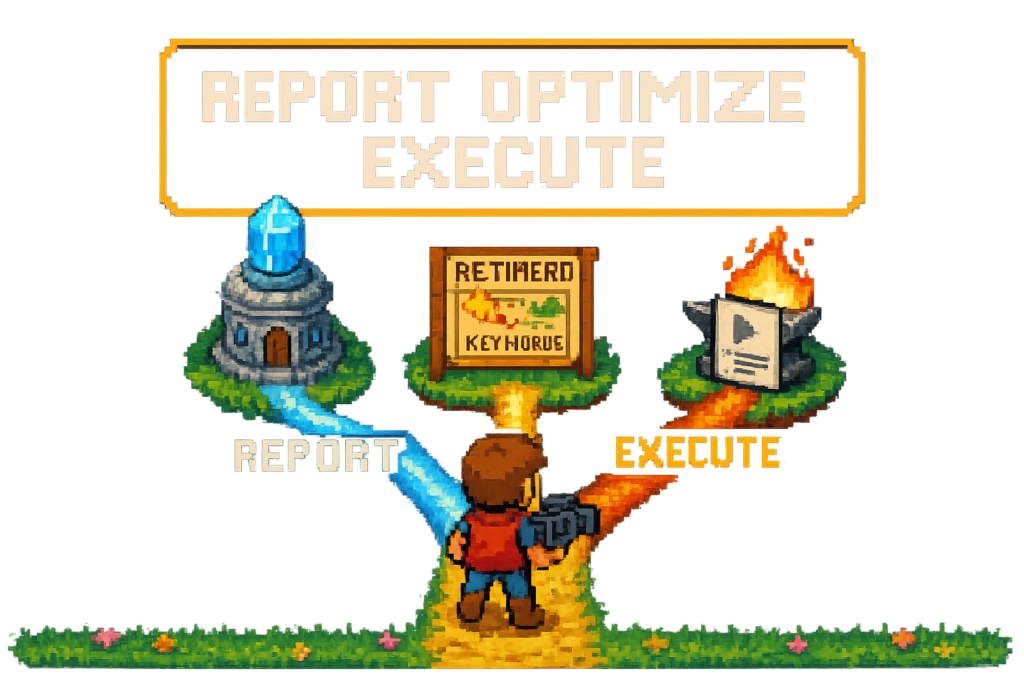
Creator analytics software is software that helps YouTube creators and video teams measure performance, improve discovery inputs, and act on those insights faster. In practice, the category splits into three jobs: reporting, optimization, and execution.
You can have clean retention charts and still publish sloppy videos. The real problem isn't seeing the numbers. It's turning those numbers into better titles, cleaner chapters, and monetized descriptions before the next upload goes live.
That's why this category gets confusing fast. Some tools report what happened. Some help with discovery inputs like keywords and tags. Others reduce the post-upload work that usually gets pushed to tomorrow.
If you're choosing between YouTube Analytics, TubeBuddy, vidIQ, Google Analytics, and Vidrunner, the buying question is simple: do you need to report, optimize, or execute?
Comparison table, the best creator analytics software options
A lot of "best creator analytics software" lists compare unlike things. That's how people end up buying an SEO overlay when they really needed a reporting dashboard, or adding another dashboard when the real bottleneck was post-upload execution.
Here's the cleaner way to compare the stack.
| Tool | Best for | Core analytics | Workflow automation | Affiliate link support | Reporting depth | Pricing model |
|---|---|---|---|---|---|---|
| YouTube Analytics / YouTube Studio | Native channel reporting | Strong native metrics: CTR, Audience Retention, Average View Duration, Impressions, Traffic Sources, revenue | Limited | None | High for channel and video-level YouTube data | Free |
| TubeBuddy | SEO overlays and upload optimization | Light to moderate, mostly SEO-oriented insights | Moderate, focused on optimization tasks | Limited | Moderate | Freemium / subscription |
| vidIQ | Discovery research and content optimization | Moderate, with keyword and competitor context | Moderate, focused on ideation and SEO prompts | Limited | Moderate | Freemium / subscription |
| Google Analytics | Site-side traffic context | Strong for website sessions, referral traffic, conversions | Low for YouTube publishing | Indirect, depends on site setup | High for web analytics, not native YouTube video diagnostics | Free |
| Vidrunner | Faster publishing and monetization execution | Light by design, depends on insight sources like YouTube Analytics | High for timestamps, tags, and product link generation | Strong, especially with Amazon tracking IDs and Lasso workflows | Low as a reporting tool, high as an execution layer | Free plan, paid plans from $9/month |
Myth: more dashboards automatically improve channel growth.
Reality: dashboards only matter if they change the next upload. A solo reviewer can spot weak CTR in YouTube Studio all day, but that won't generate better tags, chapters, or affiliate links for the next product video. The bottleneck often isn't visibility. It's follow-through.
For example, a camera reviewer might publish three videos in a week and see below-average click-through rate on two of them. Native reporting tells them the packaging is weak. It doesn't help them build cleaner chapter structure, add searchable tags, or link every lens and mic they mentioned. That's where role-based comparison matters.
Comparison criteria that actually matter
Feature lists get noisy. Operators usually care about six things.
First, best for. A native dashboard is built for measurement. An SEO tool is built for discovery inputs. A workflow tool is built to shorten the gap between upload and publish-ready metadata.
Second, core analytics. If you need channel reporting software for CTR trends, retention curves, impressions, and traffic sources, YouTube Analytics is still the baseline. Third-party tools can add context, but they rarely replace the source of truth.
Third, workflow automation. This is where the category splits. TubeBuddy and vidIQ can help with optimization prompts. Vidrunner is built for the annoying cleanup work after upload: timestamps, tags, and affiliate links from a pasted URL.
Fourth, affiliate link support. This gets ignored in most roundups. If your channel mentions products, missing links are a revenue leak. A video performance dashboard won't fix that by itself.
Fifth, reporting depth. Google Analytics can tell you what happened after viewers clicked through to your site. YouTube Studio can tell you how the video performed on-platform. Those are different reporting jobs.
Sixth, pricing model. Free is fine if your workflow is simple. But if you publish weekly and spend 30 to 45 minutes per upload on cleanup, a low-cost workflow layer can pay for itself quickly.
Quick picks, choose this tool if
Choose YouTube Analytics if you want native channel reporting and the clearest view of YouTube metrics tracking.
Choose TubeBuddy or vidIQ if you want SEO overlays, keyword suggestions, and optimization prompts around discovery.
Choose Google Analytics if you need site-side traffic context, especially if YouTube drives visitors into a blog, store, or landing page.
Choose Vidrunner if you need to turn insights into faster publishing and monetization execution.
For a broader look at the category, see creator analytics, YouTube analytics tools, and best YouTube SEO tools.
Software category map, what kind of creator analytics software are you actually buying?
The shift happens when you stop shopping by brand name and start shopping by job to be done. Most buyers aren't comparing five direct competitors. They're comparing four different software categories that solve different problems.
That's why category confusion leads to bad purchases. A two-person media team buys an SEO tool expecting better weekly reporting, then realizes it's strongest at keyword suggestions. Another team buys a dashboard and still spends 40 minutes per upload adding chapters and product links by hand. Same budget, wrong tool.
The clean lens here is simple: report, optimize, or execute.
Native analytics tools, strong on reporting, limited on workflow
This bucket is YouTube Analytics inside YouTube Studio.
It answers one question: what happened on the channel and on each video?
You get the metrics that matter most for diagnosis: CTR, Audience Retention, Average View Duration, Impressions, Traffic Sources, and revenue data tied to YouTube. For most creators, this is the first place to look after every upload.
But native reporting has limits. It shows the problem clearly, then hands the fix back to you. If retention drops in the first minute, Studio won't write better chapters. If a product review forgot links, Studio won't detect the products and build the description for you.
Myth: YouTube Studio is enough for every creator.
Reality: it's enough for many early channels, but not for every workflow. Teams often need cross-video visibility, SEO context, or faster execution on top.
SEO overlays, strong on discovery inputs
This bucket includes TubeBuddy and vidIQ.
It answers a different question: how should this video be packaged for search and discovery?
These tools are useful when your bottleneck is topic selection, keyword targeting, tag ideas, and optimization prompts. They can help you tighten titles, compare keyword opportunities, and think more systematically about search demand.
What they don't usually do well is deep reporting across your business workflow. They also don't solve the final mile of publishing if your real issue is that tags, chapters, and affiliate links never get added consistently.
For example, a tutorial channel might use vidIQ to validate topic demand and improve keyword targeting. That's a good fit. But if the same team expects it to become a KPI dashboard for weekly reporting, they'll be disappointed.
Dashboard and reporting tools, strong on cross-video visibility
This bucket includes YouTube's native dashboard and, in a different way, Google Analytics for site-side behavior.
It answers this: what patterns are showing up across videos, traffic sources, and downstream visits?
Google Analytics matters when YouTube is part of a bigger funnel. If viewers click from your description to a review article, newsletter signup, or storefront, GA can show what happens next. That's useful context, especially for media businesses that monetize beyond ads.
Still, it isn't a YouTube-first diagnostic tool. It won't replace retention graphs or thumbnail performance data. Think of it like store foot traffic versus checkout data. Both matter, but they answer different questions.
Publishing workflow tools, strong on post-upload execution
This bucket is where Vidrunner fits.
It answers the next question: now that you know what needs to improve, how do you ship the next video faster and more consistently?
This is the category most creator analytics software lists miss. Operators don't just need more charts. They need a way to turn insight into repeatable publishing habits. If better-performing videos tend to have clear chapters, complete product links, and stronger metadata, the right tool isn't always another dashboard. Sometimes it's the workflow layer that makes those fixes happen every time.
If you're still mixing categories, the next section makes the buying decision simpler.
How to choose creator analytics software by team type
The best stack depends less on channel size and more on where your bottleneck lives. Small channels can waste money on oversized reporting setups, while larger teams can get by with native tools if their handoff process is clean.
Use the same lens here: report, optimize, or execute.
| Team type | Primary need | Best stack shape | Main tradeoff |
|---|---|---|---|
| Solo creator | Keep setup simple, spot obvious performance issues | YouTube Analytics plus a light SEO or workflow layer | Too many tools create overhead |
| Media team | Repeatable reporting and clear handoffs | Native reporting plus dashboard context and workflow support | More process, more setup |
| Affiliate-heavy channel | Monetization execution and revenue tracking context | YouTube Analytics plus Vidrunner and Lasso workflows | Might need separate reporting for the full revenue picture |
| SEO-focused channel | Discovery inputs and packaging improvements | YouTube Analytics plus TubeBuddy or vidIQ, optionally Vidrunner for execution | SEO tools can over-index on search and miss workflow bottlenecks |
Myth: creator analytics software is only for large channels.
Reality: even smaller channels benefit if the tool saves recurring time or prevents missed monetization. A one-video-a-week creator who skips chapters and links is still losing ground on every upload.
Solo creators, keep the stack lean
If you publish one tutorial or review a week, don't build a five-tool stack because a roundup told you to.
Start with YouTube Analytics. It already gives you the core channel data you need. Then add one layer based on your bottleneck. If your issue is discovery, use TubeBuddy or vidIQ. If your issue is post-upload cleanup, use Vidrunner.
For example, a solo woodworking creator might see decent impressions but weak CTR. They use native reporting to spot the issue, then an SEO tool to improve title packaging. Later, they realize they also keep forgetting timestamps and tool links. That's when a workflow tool earns its place.
Media teams, prioritize repeatable reporting and handoff clarity
Teams don't just need insight. They need consistency.
A two-person or five-person video operation usually has handoff problems: the editor uploads, the strategist reviews performance, the producer updates descriptions later, and someone forgets product links. In that setup, channel reporting software matters, but so does reducing manual cleanup.
The best stack here often combines YouTube Studio for source-of-truth metrics, Google Analytics if the channel feeds a site or store, and a workflow layer that standardizes metadata output. The tradeoff is complexity. Every added tool needs a clear owner.
Affiliate-heavy channels, track revenue signals and automate links
This is where the market shifted. A lot of YouTube channels don't have an analytics problem. They have a monetization execution problem.
If you run a gear review, home office, beauty, or creator tools channel, every missed product link is lost revenue. You need more than a video analytics software view. You need product detection, tracking IDs, and a clean way to get links into descriptions every time.
For example, a tech reviewer might mention a camera body, two lenses, a tripod, and a microphone. The video performs fine, but only two products get linked because the rest are tedious to add by hand. With Vidrunner, those mentions can turn into affiliate links from the video URL. With Lasso in the stack, those links can also be tracked, localized, and connected to broader monetization workflows.
SEO-focused channels, pair metrics with discovery tools
Some channels win because search is the business model. Tutorials, explainers, software walkthroughs, and educational content often live here.
If that's you, pair native reporting with TubeBuddy or vidIQ. Use YouTube Analytics to see which topics earn impressions and hold attention. Then use the SEO layer to tighten keyword targeting and packaging on future uploads.
The tradeoff is that discovery tools can make you feel productive without fixing operational gaps. If your team still publishes with weak chapter structure or incomplete descriptions, you may also need an execution layer.
For more on the stack, see the YouTube SEO guide and Vidrunner features.
The metrics that matter most in creator analytics software
Not every metric deserves equal attention. Some diagnose discovery problems. Others diagnose engagement. A few point straight to monetization gaps.
The right content analytics tools for creators should help you see which bucket you're dealing with before you buy more software.
| Metric | What it measures | Why it matters | Likely action |
|---|---|---|---|
| CTR | Percentage of impressions that turn into clicks | Tells you whether title and thumbnail packaging works | Test a new title or thumbnail direction |
| Audience Retention | How much of the video viewers keep watching over time | Shows where interest drops and where structure breaks | Tighten the intro, improve pacing, add clearer chapters |
| Average View Duration | Average time watched per view | Helps compare engagement across videos of different lengths | Rework the opening, format, or segment order |
| Impressions | How often YouTube showed the video | Indicates distribution opportunity and topic reach | Improve packaging if impressions are high but clicks are weak |
| Traffic Sources | Where views came from: search, browse, suggested, external | Shows how viewers discover the video | Match optimization to source, search versus browse strategy |
| Revenue signals | Affiliate clicks, product mentions, downstream visits, sales context | Connects video performance to business outcomes | Add missing links, improve link placement, track product mentions |
A simple example shows why this matters. One upload gets strong impressions but weak CTR. That's a packaging problem. Another gets solid CTR but poor retention in the first 45 seconds. That's an intro or pacing problem. Same channel, different fix.
Discovery metrics, CTR, impressions, and traffic sources
CTR measures how often people click after seeing your video. If impressions are healthy and click-through rate is weak, your title or thumbnail probably isn't doing its job.
Impressions tell you whether YouTube is giving the video a chance. High impressions with low clicks means packaging is the bottleneck. Low impressions might mean the topic, audience fit, or early performance signals weren't strong enough.
Traffic Sources tell you where to focus. Search-heavy videos benefit from tighter keywords and clearer metadata. Browse-heavy videos often live or die on packaging and viewer satisfaction.
For example, a software tutorial might get 40,000 impressions from search but underperform on CTR. The operator doesn't need another dashboard. They need better keyword alignment and a stronger title. That's an optimize problem.
Engagement metrics, audience retention and average view duration
Audience Retention shows how much of the video people watch over time. It's one of the best diagnostic metrics in YouTube Analytics because it reveals where viewers leave.
Average View Duration gives a simpler roll-up number. It's useful for comparing videos, but the retention graph usually tells you where the actual problem lives.
If viewers drop in the first 30 to 45 seconds, your hook or pacing is off. If they stay through the middle but leave before product sections, your structure may be muddy. Clear chapters can help viewers re-engage and scrub to what they need.
For example, a 22-minute camera tutorial might have strong CTR and decent impressions, but retention falls fast in the intro. The team shortens the setup on the next upload and adds better chapter markers. The metric diagnosed the issue. The workflow layer makes the fix easier to ship every time.
Monetization signals, affiliate clicks, product mentions, and revenue context
This is the blind spot in most creator reporting tools.
YouTube Analytics can tell you how the video performed. It usually can't tell you whether every product mention became a monetized link. Google Analytics can help if viewers click through to your site. But if your business depends on Amazon Associates or product recommendations in descriptions, you need revenue context too.
For example, a creator might see that desk setup videos earn strong watch time, but affiliate revenue per upload is inconsistent. The issue isn't audience demand. It's that some videos link every product and others don't. Vidrunner helps close that gap by detecting mentioned products and generating links with your tracking ID. If you use Lasso, those links can also be tracked and localized more cleanly.
Good metrics are useful. Faster fixes are better.
Where Vidrunner fits in a creator analytics stack
Vidrunner isn't trying to replace YouTube Analytics. That's the wrong comparison.
This is the execution layer that sits after insight. You review performance in YouTube Analytics or another reporting tool, identify what needs to improve, then use Vidrunner on the next upload to speed up chapters, tags, and affiliate links. Different job, different value.
We've seen this pattern across creator tools. The reporting layer tells you what happened. The workflow layer determines whether that lesson actually makes it into the next publish cycle.
Vidrunner vs YouTube Analytics, insight layer vs execution layer
YouTube Analytics is where you diagnose. Vidrunner is where you operationalize the fix.
If CTR is weak, Studio helps you see it. If retention improves when videos have cleaner structure, Vidrunner helps you produce those timestamps faster on the next upload. If product-heavy videos earn more when every item is linked, Vidrunner helps generate those links from the video URL.
Myth: analytics software and workflow software do the same job.
Reality: they don't. One shows the signal. The other shortens the response time.
Vidrunner vs TubeBuddy and vidIQ, workflow support vs SEO overlays
TubeBuddy and vidIQ are useful when your bottleneck is discovery and packaging. They help with keyword suggestions, competitive context, and optimization prompts.
Vidrunner is different. It focuses on the post-upload work that often gets skipped: chapter timestamps, keyword-rich tags, and affiliate product links. That's why it pairs well with SEO tools instead of trying to be one.
For example, an educational creator might use vidIQ to choose topics and refine titles. After upload, they still need chapters and linked resources in the description. That's where Vidrunner fits cleanly.
Vidrunner plus Lasso, from product mention to tracked affiliate link
This is where the stack gets more interesting for monetized channels.
Vidrunner can detect products mentioned in a video and generate Amazon links with your tracking ID. Lasso extends that with affiliate infrastructure: tracking, localization, and Marketplace deals where relevant. For operators building a real creator business, that connection matters because it turns one-off description edits into a repeatable monetization system.
A product review channel is the clearest example. The team notices that videos with clear chapters and linked products hold attention better and earn more clicks. They still hate the cleanup work after upload. Vidrunner shortens that step. Lasso helps manage what happens after the link exists.
FAQ
What is creator analytics software?
It's software that helps creators track, compare, and interpret channel performance beyond what native platform dashboards show on their own. For YouTube teams, that usually means combining metrics like CTR, Audience Retention, Average View Duration, Impressions, and Traffic Sources with reporting, benchmarking, SEO context, or workflow support.
How is creator analytics software different from YouTube Analytics?
YouTube Analytics is the native reporting layer inside YouTube Studio. Third-party tools usually add one of three things: cross-video reporting, SEO context, or workflow automation. Some tools help you diagnose performance. Others help you act on it faster.
What metrics should creator analytics software track for YouTube channels?
The core set is CTR, Audience Retention, Average View Duration, Impressions, and Traffic Sources. If monetization matters, you should also track revenue signals like affiliate clicks, product mentions, and downstream traffic behavior. The best setup depends on whether your bottleneck is discovery, engagement, or monetization execution.
Can creator analytics software help with affiliate revenue tracking?
Yes, but usually not with one tool alone. YouTube Analytics shows video performance. Google Analytics can show site-side behavior. Tools like Vidrunner help make sure product mentions actually become affiliate links, and Lasso can add tracking and localization support on top of those links.
Which creator analytics software is best for YouTube creators?
There isn't one universal winner because the category includes different tool types. YouTube Analytics is best for native reporting. TubeBuddy and vidIQ are strong for SEO overlays. Google Analytics is useful for site-side context. Vidrunner is best when you need to turn insights into faster publishing and monetization execution.
What does creator analytics software usually cost?
Native YouTube reporting is free. Google Analytics is also free. TubeBuddy and vidIQ use freemium or subscription pricing. Vidrunner has a free plan and paid plans starting at $9 per month, with higher tiers for more credits and bulk processing.
Do I need separate tools for analytics and YouTube SEO?
Often, yes. Analytics tools tell you what happened. SEO tools help improve discovery inputs like keywords, tags, and packaging. Some creators can stay lean with YouTube Studio plus one SEO layer. Others also need a workflow tool if execution is the real bottleneck.
Is Vidrunner a replacement for YouTube Analytics or a workflow layer on top?
It's a workflow layer on top. Use YouTube Analytics or YouTube Studio to review performance and diagnose issues. Then use Vidrunner to generate timestamps, tags, and affiliate links for the next upload in about 60 seconds.