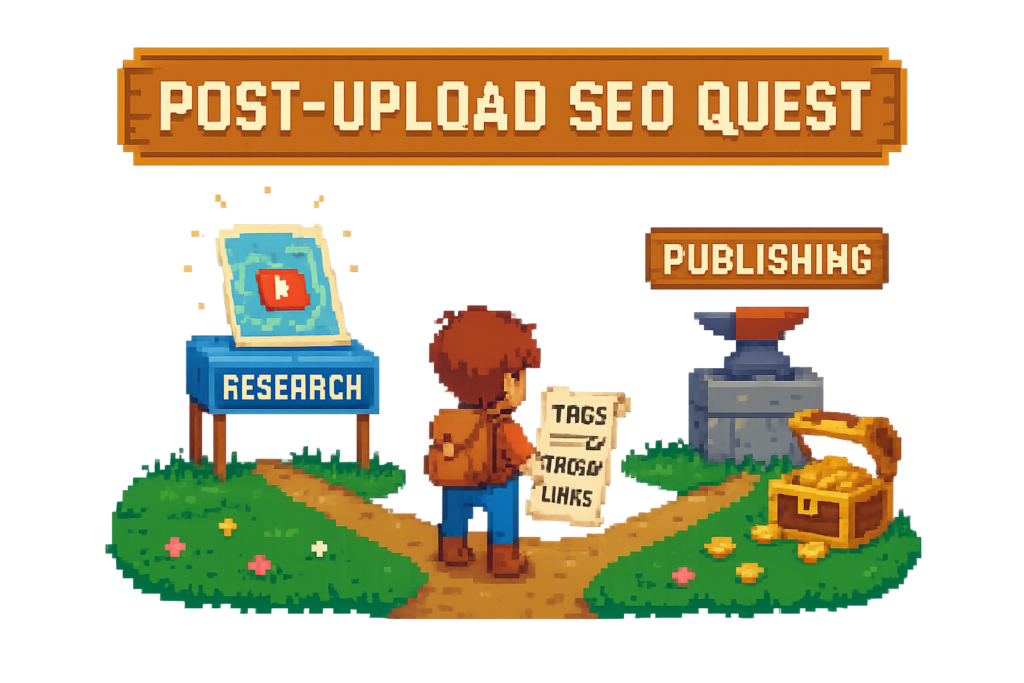
You can spot the wrong YouTube SEO tool fast: it gives you more keyword charts, but your video still goes live without chapters, tags, or product links.
That split matters. Some tools help you decide what to make. Others help you finish the upload cleanly once the video is already recorded.
This guide stays on the post-upload workflow. If chapters, descriptions, and affiliate links keep getting pushed to later, the tool with the biggest dashboard probably is not the one you need.
Best YouTube SEO tools at a glance
A YouTube SEO tool helps creators improve how videos are discovered, understood, and published on YouTube. Some focus on keyword research and analytics. Others handle execution tasks like tags, descriptions, chapter timestamps, and affiliate links.
A few related terms matter here:
- CTR (click-through rate): the percentage of people who click after seeing your thumbnail and title.
- Audience retention: how much of the video viewers keep watching.
- Watch time: the total time viewers spend watching your content.
- YouTube chapters: timestamped sections that break a video into navigable parts.
- YouTube tags: metadata terms that help YouTube understand topic context.
- YouTube description: the text field where you add context, links, and supporting metadata.
A creator uploading a 22-minute product review every Friday does not need another chart if the real problem is simpler: the topic is chosen, the title is done, but chapters, tags, and affiliate links still slip.
Myth: the best tool for YouTube optimization is the one with the most keyword data.
Reality: the right tool matches the bottleneck: research, optimization, or publishing.
Best-for summary table
| Tool | Best for | Keyword research | Tag generation | Chapter timestamps | Affiliate links | Bulk processing | Export format | Free plan | Main tradeoff |
|---|---|---|---|---|---|---|---|---|---|
| Vidrunner | Post-upload publishing automation | Limited | Yes | Yes | Yes | Yes on higher plans | Plain text, markdown, copy-paste | Yes | Not built as a giant analytics dashboard |
| TubeBuddy | In-workflow optimization prompts | Good | Yes | Limited/manual support | No | Some workflow tools | Browser-based workflow | Yes | Less focused on monetized publishing outputs |
| vidIQ | Topic planning and keyword discovery | Strong | Some suggestions | No dedicated chapter workflow | No | Limited for publishing cleanup | Dashboard/app workflow | Yes | Less useful for post-upload execution |
| YouTube Studio | Native free baseline | Basic via YouTube data | Manual | Auto-chapters baseline | Manual | No real bulk cleanup | Native editor | Yes | No automation for links, polished chapters, or backfills |
A small channel can use that table in under a minute. You do not need a 40-tab comparison if your choice is really between research help and publishing help.
What "best" means in this category
Best is not universal here. It depends on where your workflow breaks.
If your titles and thumbnails already pull decent CTR, but your descriptions are thin and your product links are missing, your problem is not discovery. It is execution after upload.
That is why score-based tools can mislead people. A video can have tidy metadata and still underperform if retention is weak in the first minute. Audience response still decides a lot of the outcome. YouTube’s own guidance on audience retention reinforces that viewer behavior matters beyond metadata alone.
Myth: one SEO score tells you if a video will perform.
Reality: scores are directional. CTR, retention, watch time, and viewer satisfaction still matter more than a checklist number.
Once you know the bottleneck, the tool choice gets much easier.
The three tool categories creators confuse
Most creators lump all YouTube optimization software into one bucket. That is how they end up paying for the wrong thing.
Here is the system: the Three-Part YouTube SEO Stack. Split the market into three categories: research, optimization, and publishing. They overlap a bit, but they are not interchangeable.
Think of it like editing bays versus shipping labels. One helps you decide what to produce. The other helps you package the finished asset correctly. If your bottleneck is packaging, research software will not fix it.
Myth: a YouTube SEO tool and a YouTube tag generator are basically the same thing.
Reality: a tag generator handles one task. A full publishing tool handles the messy checklist that happens after upload.
Research tools, built for topic and keyword discovery
This part of the stack helps before you hit record.
These tools focus on search demand, topic variations, and trend validation. Think Google Trends, YouTube Search suggestions, vidIQ, and parts of TubeBuddy.
A tutorial creator planning a new series might compare “budget camera setup” against “cheap YouTube studio” to see which phrasing has stronger demand. That is a research problem, not a publishing one. If that is your bottleneck, start with the broader YouTube SEO guide before worrying about post-upload automation.
These tools are useful when you still need help deciding what to make next. They do not finish the upload for you.
Optimization dashboards, built for scoring and recommendations
This part sits closer to the YouTube workflow itself.
TubeBuddy and vidIQ both offer recommendation layers: metadata suggestions, score systems, prompts, and competitor tracking. That is useful if you want a second set of eyes while tightening titles, tags, or descriptions.
But score-driven systems have limits. A creator can obsess over a low optimization score, tweak tags for 15 minutes, and still miss the real issue: a weak thumbnail and poor first-minute retention. The dashboard helps, but it does not replace audience response.
Myth: one SEO score tells you if a video will perform.
Reality: scores can guide edits. They cannot predict whether viewers will click and keep watching.
Scores can guide edits, but they do not automate the tedious parts.
Publishing automation tools, built for post-upload execution
This is the category most comparison posts barely cover.
Publishing tools focus on the tasks creators keep postponing: chapter timestamps, tags, descriptions, and affiliate links. Vidrunner is the clearest example here.
Say you publish a 15-minute review and mention six products on camera. A publishing-first tool can detect those mentions, generate chapter timestamps, and output Amazon affiliate links with your tracking ID. If you connect Lasso, you also get tracking and localization behind those links.
That is not keyword research. It is a workflow fix.
Myth: YouTube Studio already covers everything a creator needs.
Reality: native tools are useful, but they do not automate affiliate links, clean chapter formatting, or bulk backfill work.
How the top YouTube SEO tools compare by workflow outcome
Feature lists are easy to pad. Workflow outcomes are harder to fake.
A two-person video team does not care which platform has the prettiest charts. They care whether the upload gets chapters, tags, and monetized links before the publish deadline.
So compare these tools by what changes after you use them: time saved, cleanup reduced, and revenue captured.
Comparison matrix, features that matter after upload
| Tool | Keyword research | Tag generation | Chapter timestamps | Affiliate links | Bulk processing | Export format | Best-for use case |
|---|---|---|---|---|---|---|---|
| Vidrunner | Basic topic extraction | Yes | Yes, transcript-based | Yes, Amazon tracking ID supported | Yes on Pro/Studio | Plain text, markdown, copy-paste | Fast post-upload cleanup and monetized publishing |
| TubeBuddy | Good | Yes | Limited | No | Some channel workflow support | Browser/in-platform | Metadata prompts and workflow assistance |
| vidIQ | Strong | Some | No dedicated output | No | Limited for cleanup | Dashboard/app | Topic planning, research, channel ideation |
| YouTube Studio | Basic native signals | Manual | Auto-chapters baseline | Manual | No | Native editor only | Free publishing and analytics baseline |
A creator backfilling 40 old uploads needs bulk processing and export-ready outputs. A creator planning next month’s content needs better topic discovery. Same broad category, different job.
Free plan value matters too. YouTube Studio is the default free baseline. Vidrunner’s free plan is more useful if your pain starts after upload. TubeBuddy and vidIQ both offer free entry points, but their strongest value usually shows up in paid tiers.
Feature-to-outcome table, what each capability actually changes
| Capability | What it changes | Practical outcome |
|---|---|---|
| Chapter timestamps | Improves navigation and structure | Viewers find sections faster, videos look more polished |
| Tags and metadata | Add topic context | Supports discoverability, especially around related phrasing |
| Description formatting | Improves clarity and link placement | Cleaner publish package, fewer missed details |
| Affiliate links | Connects mentions to monetization | Less missed revenue on products already discussed |
| Bulk processing | Reduces backlog cleanup | Older uploads get fixed without manual one-by-one work |
| Export-ready output | Speeds publishing | Less copy-paste friction inside YouTube Studio |
One myth needs killing here.
Myth: tags are the main reason YouTube videos rank.
Reality: tags help with context, but they are not the main engine. CTR, watch time, retention, titles, thumbnails, and viewer satisfaction carry more weight. YouTube’s metadata best practices also frame tags as supplemental rather than primary ranking levers.
In practice, this means tags still matter, just not enough to justify choosing a tool on tags alone.
Individual tool analysis, where each option wins
Most creators do not need a universal winner. They need the least painful way to solve the task they keep postponing.
Here is where each option fits once you stop treating them as identical.
Vidrunner, best for post-upload publishing automation
Vidrunner is the best fit if your bottleneck starts after the upload finishes.
Its job is simple: take a YouTube URL and generate the pieces creators skip. That includes chapter timestamps, keyword-rich tags, and Amazon affiliate links with your tracking ID. Outputs are built to copy into YouTube Studio, not admired in a dashboard.
A tech creator uploading unlisted can paste the URL into Vidrunner and get timestamps, tags, and six product links in about a minute. That turns a messy checklist into a repeatable system.
It also handles the monetization side better than most YouTube video SEO software. If you use Lasso, detected products can feed into a larger tracking and localization setup. That is useful for review, tutorial, and gear channels where the description is not just metadata, it is revenue infrastructure.
The tradeoff is clear: Vidrunner is not trying to be a giant research suite. If you need heavy topic discovery, pair it with something else.
Myth: a publishing tool is just a tag generator with extra steps.
Reality: tags are one output. The real value is finishing timestamps, links, and description-ready assets in one pass.
TubeBuddy, best for creators who want optimization prompts inside YouTube
TubeBuddy fits creators who want nudges inside the publishing flow.
Its strength is guidance: metadata suggestions, tag help, workflow prompts, and browser-based assistance that sits close to YouTube Studio. If you are the kind of creator who benefits from a checklist before publish, it makes sense.
A solo creator publishing weekly tutorials might use TubeBuddy to tighten titles, improve tags, and catch missing fields before going live. That is a good fit for someone who wants help staying disciplined.
The tradeoff is that it is less focused on affiliate link generation and post-upload automation depth. If your pain is “I keep forgetting to add the products I mentioned,” TubeBuddy will not solve that as directly as a publishing-first tool.
vidIQ, best for keyword research and channel-level idea generation
vidIQ is strongest before production.
It shines in topic planning, keyword discovery, trend spotting, and channel-level ideation. If you are building a content calendar and need to validate demand, this is where vidIQ makes more sense than a publishing tool.
A creator mapping next month’s uploads might compare search phrasing, track emerging topics, and use YouTube Search plus Google Trends to validate what people actually want. That is vidIQ territory.
The tradeoff is straightforward: it is less useful for copy-paste publishing outputs, affiliate link generation, or chapter cleanup. If the video is already recorded and uploaded, vidIQ usually is not the tool that finishes the job.
YouTube Studio, best free baseline but not a full workflow system
YouTube Studio is the native baseline, and for small channels, that is fine.
It gives you publishing controls, analytics, retention data, watch time reporting, and a basic auto-chapters option. A new creator can absolutely start there.
But manual work piles up fast. A growing review channel might spend 20 minutes scrubbing for timestamps, another 10 guessing tags, and another 15 hunting product URLs. That is not strategy. It is repetitive cleanup work.
YouTube Studio also does not give you a real bulk backfill workflow. If you want to fix 30 old uploads, you are doing it the hard way.
Myth: YouTube Studio already covers everything a creator needs.
Reality: it is a solid baseline, not a full publishing system.
Chapters, tags, and links, the post-upload tasks most tools ignore
This is where the category split gets obvious.
A lot of YouTube keyword and tag tools stop at metadata suggestions. They do not solve the operational work that happens after upload, especially for creators who publish often or mention products regularly.
If post-upload cleanup is where your process breaks, this section matters most.
YouTube auto-chapters vs dedicated chapter tools
YouTube auto-chapters are useful as a baseline. They can save time, and for some videos they are good enough.
But good enough is not the same as intentional.
A dedicated chapter tool works from the transcript and spoken transitions. So if a tutorial naturally shifts at 1:42, 4:18, and 8:57, the timestamps can match those beats instead of rough machine-generated blocks. The result feels cleaner because it is cleaner.
A tutorial creator with a 12-minute editing walkthrough does not want generic segments. They want chapter breaks where viewers actually scrub: setup, import, color correction, export settings. That is the difference between auto-fill and deliberate structure. If this is your biggest bottleneck, the YouTube chapters SEO guide goes deeper on formatting and structure.
Affiliate link generation vs metadata-only optimization
This is the gap most top YouTube SEO software still leaves open.
Metadata can help discovery. It does not monetize the products you already recommended on camera.
A camera reviewer might mention a lens, tripod, mic, and light in one video. If those products never make it into the YouTube description, the creator loses revenue on recommendations they already did the work to make. That is not a traffic problem. It is a workflow failure.
Vidrunner addresses that by generating Amazon affiliate links with your tracking ID. If you connect Lasso, those links can also plug into tracking, localization, and broader monetization infrastructure.
Compare that to a metadata-only tool. You might get better tag suggestions, but you still have to hunt down every product URL manually.
Metadata can help discovery. Links turn recommendations into revenue.
How to choose the best YouTube SEO tool for your workflow
The Three-Part YouTube SEO Stack breaks down into three paths: research, optimization, and publishing.
If you publish one tutorial a month, free native tools may be enough. If you publish weekly and mention products often, automation starts paying for itself fast.
Myth: should you use one all-in-one tool or separate tools? There is always one right answer.
Reality: sometimes one tool is enough. Sometimes a stack is cleaner.
Choose Vidrunner if publishing speed and monetization are the bottleneck
Choose Vidrunner if your recurring pain sounds like this: “I’ll add the links later.”
It is the strongest fit for creators who need timestamps, tags, affiliate links, and bulk backfill help. That makes it especially useful for product reviews, tutorials, gear channels, and small teams managing repeat uploads.
A creator posting twice a week can recover value almost immediately. Instead of spending half an hour per upload on cleanup, they paste the URL, copy the outputs, and move on.
If your bottleneck starts after upload, Vidrunner is the cleaner fit. For a closer look at the workflow, see Vidrunner features.
Choose TubeBuddy or vidIQ if research and optimization come first
Choose TubeBuddy if you want checklist-style help while publishing.
Choose vidIQ if you need stronger topic planning, keyword discovery, and idea generation before recording.
Some creators should pair one of these with a publishing tool. That is common, not overkill. A channel still figuring out what to make next week may get more value from research software first. Once publishing becomes consistent, post-upload automation becomes the next obvious fix.
Choose a stack, not a winner, if your channel has multiple bottlenecks
Serious creators often use more than one tool because the jobs are different.
A practical stack looks like this:
- vidIQ or TubeBuddy for planning and optimization prompts
- Vidrunner for timestamps, tags, and affiliate links after upload
- YouTube Studio for native publishing and analytics
A small team might plan topics in vidIQ, publish through YouTube Studio, and use Vidrunner to finish chapters and product links. If you still need diagnosis on what is underperforming, pair that workflow with better YouTube analytics tools.
FAQ
What is a YouTube SEO tool?
A YouTube SEO tool is software that helps creators improve how videos are discovered, understood, and published on YouTube. Some tools focus on keyword research and analytics, while others handle execution tasks like tags, descriptions, chapter timestamps, and affiliate links.
What makes the best YouTube SEO tool for creators?
The best fit matches your bottleneck. If you need topic ideas, use a research-heavy platform. If you need publishing help after upload, use a tool built for timestamps, tags, descriptions, and links.
Do YouTube SEO tools help with rankings or just metadata?
They help with both workflow and metadata quality, but they do not control rankings by themselves. Better metadata supports discoverability, while actual performance still depends on CTR, audience retention, watch time, and viewer satisfaction.
What's the difference between a YouTube SEO tool and a YouTube tag generator?
A tag generator handles one narrow task. A full YouTube publishing tool can also create chapters, improve descriptions, generate affiliate links, and speed up post-upload cleanup.
Are free YouTube SEO tools good enough for small channels?
Sometimes, yes. YouTube Studio is a solid free baseline, especially for new or low-volume channels. But once uploads become frequent, the manual work around timestamps, tags, and links usually becomes the real cost.
Which YouTube SEO tool is best for timestamps and chapters?
Publishing automation tools are the best fit here. Vidrunner stands out because it uses transcript-based timestamp generation and produces copy-paste chapter output for YouTube Studio.
Can a YouTube SEO tool generate affiliate links too?
Some can, most do not. Many tools stop at metadata suggestions, while Vidrunner also generates Amazon affiliate links with your tracking ID for products mentioned in the video.
How much does a good YouTube SEO tool cost?
There is not one clean number because the category is split. Free tools cover the basics, while paid tools usually charge for deeper research, workflow prompts, or automation. The real question is whether the tool saves enough time or recovers enough missed revenue to justify the cost.
Which YouTube SEO tool has the best free plan?
YouTube Studio has the best native free baseline because it is built into the platform. For post-upload automation, Vidrunner’s free plan is stronger if your main pain is timestamps, tags, and affiliate links.
Should you use one all-in-one tool or separate YouTube SEO tools?
Use one tool if your bottleneck is narrow and obvious. Use a stack if your channel has multiple problems, like topic planning before recording and cleanup after upload.