You can publish a video that gets views, mentions products, and still leave money on the table. If your description has no links, your chapters are sloppy, and your revenue plan starts and ends with AdSense, the video is working harder than your monetization system.
That gap explains why creators with similar view counts can end up with very different income streams. One channel gets paid for attention. Another gets paid for purchase intent. A third gets paid because brands trust the audience relationship.
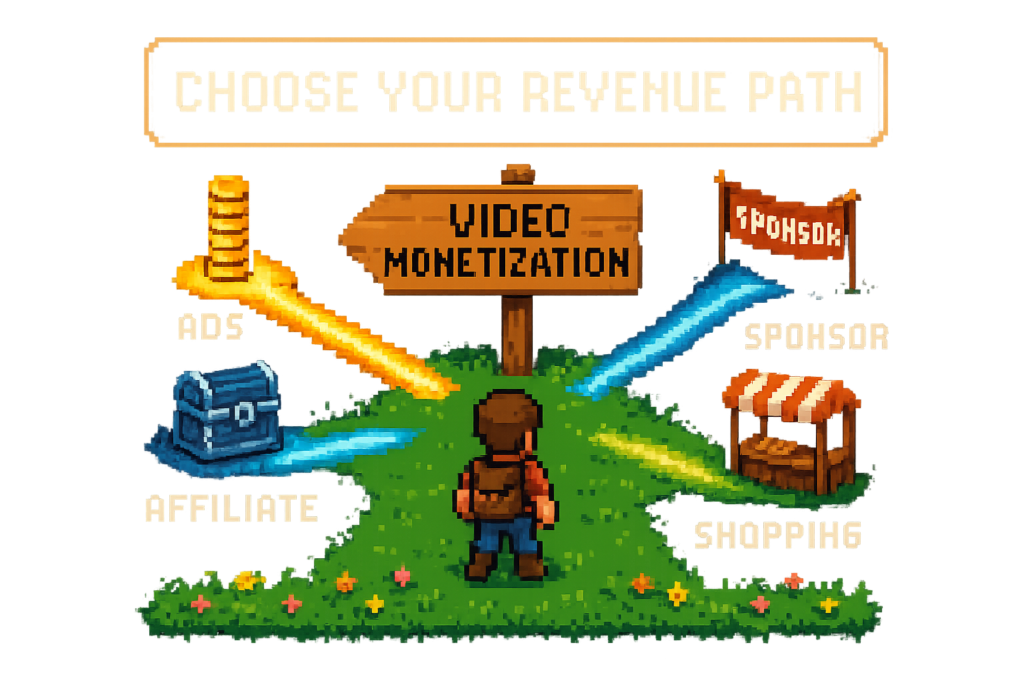
This is the decision hub. Not a setup tutorial for one tactic, but a way to match the right revenue model to the action your videos actually create.
The four core video monetization models, side by side
Video monetization is the process of turning views, product mentions, audience trust, and viewer actions into revenue. On YouTube, the four core models are ad revenue, affiliate links, sponsorships, and YouTube Shopping. Each one pays on a different trigger, so the best choice depends less on subscriber count and more on what viewers do after they hit play.
A few terms matter here. The YouTube Partner Program is YouTube's eligibility program for ad and fan-funding features. Google AdSense is the payout system creators use to receive ad earnings. RPM means revenue per mille, what you actually earn per 1,000 views after YouTube's share. CPM means cost per mille, what advertisers pay per 1,000 ad impressions. Affiliate marketing means earning a commission when viewers buy through tracked links. YouTube Shopping is YouTube's native product-tagging and storefront commerce feature.
Here's the practical comparison.
| Model | What triggers payout | Setup difficulty | Time to first revenue | Upside | Consistency | How you measure it |
|---|---|---|---|---|---|---|
| Ad revenue | Ad views and watch time | Medium | Slow to medium, depends on eligibility | Moderate | Moderate, but volatile | RPM in YouTube Studio, AdSense earnings |
| Affiliate links | Clicks that turn into purchases | Low to medium | Fast | High on product-led videos | Variable by intent and season | Clicks, conversions, commission by link or tracking ID |
| Sponsorships | Brand payment for placement or integration | High | Medium to slow | High per deal | Lumpy | Campaign revenue, renewals, inbound demand |
| YouTube Shopping | Product clicks and purchases through native tags | Medium | Medium | High for eligible product channels | Variable | Tagged product performance in YouTube Studio |
The myth is that more views automatically mean more revenue. A 200,000-view commentary video may earn mostly from ads, while a 20,000-view product review can out-earn it through affiliate commissions, Shopping tags, or both.
Product-driven channels often under-monetize because they stop at ads. The video creates buying intent, but the monetization stack only captures attention.
Take a tech reviewer publishing a 12-minute desk setup video. It gets decent views, mentions five products, and earns some ad revenue through the YouTube Partner Program. But if the description has no tracked links and no product tags, the strongest commercial signal in the video goes unmonetized. That's not a traffic problem. It's a revenue capture problem.
For operators, the right lens is simple: match the model to the viewer action your upload creates.
Ad revenue, what pays for attention
Ad revenue is the default starting point because it's built into YouTube once you're eligible. It also creates the most confusion, mostly because creators talk about CPM when they should watch RPM.
Google AdSense handles payouts, but the business logic lives inside YouTube Studio. Advertisers bid for impressions, YouTube serves ads, and creators earn a share. CPM tells you what advertisers paid for ad inventory. RPM tells you what you kept per 1,000 views after YouTube's cut, across the monetized views that actually generated earnings.
That distinction matters. CPM can look healthy while RPM stays mediocre if your audience skips ads, your geography mix is weak, or your format doesn't create many monetized playbacks.
Where ads fit best
Ads fit best when your main monetizable action is attention. Commentary, entertainment, broad education, news recaps, and personality-driven content often fall into this bucket.
A creator news channel is a good example. Weekly uploads about platform drama or creator strategy may pull strong watch time and broad reach, but viewers aren't arriving to buy a product. In that case, ads are a natural base layer because the channel creates impression volume more than purchase intent.
This is where YouTube ad revenue optimization matters more than affiliate infrastructure. Better titles, stronger retention, cleaner metadata, and more total views can move the business.
Where ads underperform
Ads become a weaker primary model when the video is clearly commercial. Reviews, tutorials, desk setups, camera comparisons, beauty routines, and software walkthroughs often create buying behavior that pays better outside AdSense.
Compare a 15-minute lens review with a 15-minute commentary clip. The commentary video may get more views and still be the lower earner if the review drives purchases. That's the core mistake behind the idea that AdSense is the best method for every creator. It isn't. It's the best method for channels that monetize attention first.
Use ads as a base layer, not the whole plan
Ads are still useful even if they aren't your highest-margin stream. Once you're in the YouTube Partner Program, they work in the background. No extra links needed. No negotiation. No sponsor approvals.
But passive doesn't mean optimal. If your videos mention products, ads probably shouldn't be your only revenue layer.
Affiliate links, what pays for buying intent
Affiliate links pay when a viewer clicks and buys. That's the cleanest way to monetize product curiosity and purchase intent without waiting for sponsor deals or depending on ad rates.
For many YouTube operators, the common entry point is Amazon Associates, Amazon's affiliate program. You create tracked product links and attach an Amazon tracking ID, which tells Amazon which sales came from your content. If a viewer buys through that link, you earn a commission.
The setup isn't complicated. The discipline is.
Why affiliate revenue can beat ads
A camera creator publishing a lens comparison doesn't need massive reach to earn meaningful revenue. The audience is already close to purchase. They want the exact model, the alternate option, and maybe the tripod mentioned in passing.
In that scenario, a clean description with tracked links can beat ad earnings on a much smaller audience. That's because the monetized action isn't just watching. It's clicking and buying.
This is why affiliate links work especially well for:
- Product reviews
- Tutorials with gear lists
- Desk setups
- Beauty routines
- Software recommendations
- Home office roundups
A home office creator with 15,000 views on a standing desk accessories video may earn far more from links than a broader explainer with 10 times the reach. Lower views, higher intent.
Timing matters more than creators think
One of the biggest misses in YouTube income streams is delay. Creators publish first, then plan to add links later. The problem is that the first traffic spike is usually the most valuable window.
A realistic scenario: a creator posts a Friday night roundup, gets a homepage push, and wakes up to 8,000 early views. The video mentioned six products. The description still says "links coming soon." Those clicks are gone. You don't get them back by cleaning up the description on Monday.
Adding links later isn't close enough. If the video creates buying intent, the links need to be there at publish time.
The infrastructure layer matters
Amazon Associates is the program. It isn't the workflow.
Tools like Lasso and Vidrunner help with the infrastructure around affiliate monetization. Lasso handles link tracking, localization, and broader monetization infrastructure. Vidrunner helps creators generate timestamps, tags, and affiliate product links from a pasted YouTube URL, which makes it easier to ship a complete description on day one.
You still need proper FTC disclosure language in the description. That's non-negotiable. If you're earning commissions from links, disclose it clearly.
The myth here is that you need a huge audience before you can monetize videos. You don't. Smaller channels with strong product intent often start earning earlier than broad channels waiting for scale.
Sponsorships, what pays for audience trust
Sponsorships are different from both ads and affiliate links. You're not getting paid for impressions alone, and you're not waiting for a viewer to buy. You're getting paid directly by a brand for access to your audience, your context, and your credibility.
That can mean a pre-roll mention, a mid-roll integration, a dedicated segment, or a full sponsored video. The payout is usually larger upfront, which is why creators chase it. But the work is heavier than it looks from the outside.
What brands are really buying
Brands don't just buy subscriber counts. They buy fit.
A productivity creator with 40,000 subscribers and strong average view duration may be more attractive to a software brand than a general entertainment channel with 400,000 subscribers. Why? Because trust and context convert better than raw reach in many categories.
A budgeting app, for example, may pay for a dedicated integration on a finance channel with moderate scale if the audience is loyal and the creator's recommendations carry weight. That's audience trust as a monetizable asset.
The upside and the friction
The upside is obvious. Sponsorships can produce predictable campaign fees, larger checks, and revenue that doesn't depend on immediate viewer purchases.
The friction is just as real. Someone has to source deals, negotiate rates, manage deliverables, handle revisions, track deadlines, and make sure the final integration still feels native to the channel. Then there's disclosure. Sponsored placements need clear FTC disclosure, just like affiliate relationships do.
Compare that to affiliate revenue. One sponsor may pay more this month. But a strong library of evergreen product videos may keep earning commissions for months without another negotiation cycle. That's why many mature channels run both.
Sponsorships work best as a layer
Sponsorships rarely replace the rest of the stack. They sit on top of it.
A creator can run ads through YouTube Studio, add affiliate links for products mentioned, and still sell sponsor integrations where the niche fit is strong. That's usually the healthier model because it spreads risk. If ad rates drop or sponsor demand slows, the business still has other earning paths.
Sponsorships can pay well, but they don't fix a broken publishing workflow.
YouTube Shopping, what pays for native product discovery
YouTube Shopping is YouTube's native commerce layer. Instead of relying only on description links, creators can tag products directly inside the YouTube experience so viewers can browse without leaving the platform right away.
That changes the user experience more than the economics. The core idea is still product discovery. The difference is where the click happens.
How Shopping differs from affiliate links
Affiliate links live in the description, pinned comments, or related surfaces you control. They offer flexibility. You can link to multiple merchants, include alternates, add bundles, and structure the description however you want.
YouTube Shopping is more native. Products show up inside the viewing experience, which can reduce friction for viewers who want to browse while watching.
A beauty creator demonstrating a full routine is a strong example. Some viewers want to stay on-platform and tap through tagged products as they watch. Others want a full written list in the description with exact shades, alternates, or backup options. In practice, native tags and description links often work better together than separately.
Where Shopping shines, and where it doesn't
Shopping works best when the viewer benefits from on-platform discovery. Beauty, fashion, home, and creator-led product showcases often fit well.
Its limits are operational. Eligibility rules apply. Merchant setup matters. And in some cases, it offers less flexibility than a broader affiliate setup where you control the full description and can route traffic across multiple options.
That's why YouTube Shopping isn't automatically superior. It's additive. It helps reduce friction, but it doesn't replace the need for a well-structured description, clear chapters, and tracked affiliate links where relevant.
Use it where native browsing helps
If your audience wants to browse products inside YouTube, Shopping can improve the path. If your audience wants a detailed product list, comparison options, or alternate retailers, affiliate links still offer more flexibility.
Native product tags help, but they work better when the rest of your metadata and links are clean.
How to choose the right monetization model for your channel
The shift happens when you stop asking, "Which monetization method pays the most?" and start asking, "What action does this channel reliably create?"
That's the useful decision model: Views, Intent, Demand.
- Views means the channel monetizes attention.
- Intent means the channel monetizes product curiosity or buying behavior.
- Demand means the channel monetizes trust and niche relevance for brands.
No single model wins across all three.
| Creator stage | Channel type | Effort level | Best first model | Likely second layer |
|---|---|---|---|---|
| New | Broad commentary or entertainment | Low | Ads later, focus on growth first | Sponsorships once niche fit appears |
| New to mid | Reviews, tutorials, gear, beauty, setups | Medium | Affiliate links | YouTube Shopping or ads |
| Mid | Niche authority channel | High | Sponsorships or affiliates | Ads and Shopping |
| Established | Broad high-view channel | Medium | Ads | Sponsorships |
| Established | Product-led niche channel | High | Affiliate links + Shopping | Sponsorships + ads |
A broad entertainment channel sends lots of people through the store. Ads make sense. A niche gear channel sends fewer people, but many arrive ready to buy. That's where affiliate marketing and Shopping often win.
The myth that more views automatically mean more revenue falls apart once you compare revenue by video type. High-view, low-intent channels and lower-view, high-intent channels play different games.
Signal 1, choose ads first if your channel monetizes attention
If your uploads are built around perspective, entertainment, or broad education, ads are the cleanest first layer. Watch time and scale matter more than product mentions here.
A pop culture recap channel getting 200,000 views per upload but rarely mentioning products should keep ads as the base layer. Even after diversification, ad revenue may remain the most stable channel-wide income source because the core asset is attention volume.
This is where RPM trends matter more than product link strategy. If RPM is weak, the next move is usually better packaging, retention, and discoverability, not forcing affiliate links into videos that don't create shopping behavior.
Signal 2, choose affiliate links or Shopping if your channel monetizes product intent
If viewers regularly ask, "What camera is that?" or "Where can I buy this?" you already have the signal.
A home office creator with 15,000 views on a desk accessories video may outperform a much larger general channel because the audience is in buying mode. Affiliate links work well when you want flexibility and broad product coverage. YouTube Shopping helps when native browsing reduces friction.
Smaller channels can monetize meaningfully here. They don't need giant reach. They need clear product mentions, working links, and a description that ships complete.
Signal 3, choose sponsorships if your channel monetizes trust and niche fit
Some channels create enough authority that brands want the association even before affiliate revenue becomes substantial.
A finance creator with moderate views but strong repeat viewership can be highly valuable to a budgeting app or investing tool. The sponsor isn't only buying impressions. It's buying context and trust.
That said, sponsorships usually layer on top of ads or affiliates. They don't replace them. The best creator revenue stacks are additive.
The publishing workflow that protects revenue capture
A lot of monetization losses don't come from choosing the wrong model. They come from sloppy execution after the video is already uploaded.
The old workflow is familiar: publish now, fix timestamps later, add links tomorrow, clean up tags when you have time. That sounds harmless until you remember that many videos get their biggest traffic spike in the first 24 hours.
A creator uploads a product roundup on Friday night and plans to add links later. The video gets early traction, but the description has no affiliate links and weak chapters. That's like opening a store with no checkout counter during the busiest hour.
| Model | Setup requirements | Time to first revenue | Measurement method |
|---|---|---|---|
| Ads | YouTube Partner Program eligibility, monetization enabled | After eligible and monetized views accrue | RPM and earnings in YouTube Studio and AdSense |
| Affiliate links | Amazon Associates or other program, tracking ID, disclosure, links in description | As soon as viewers click and buy | Clicks, conversions, commission reports |
| Sponsorships | Brand deal, contract, creative approval, disclosure | After campaign goes live and invoice terms clear | Deal value, renewals, sponsor pipeline |
| YouTube Shopping | Eligibility, connected merchant or store, tagged products | After tagged product interactions and purchases | Product tag performance in YouTube Studio |
Step 1, match the video to the right revenue stack before you publish
Pre-publish classification should be fast. Ask one question: is this an attention video, a product video, or a trust-driven niche video?
A team running two channels might classify one upload as broad educational and another as product-led. The first gets standard ad optimization. The second gets affiliate links, disclosure text, and product-focused chapters before it goes live.
This doesn't need a giant operating manual. It needs a repeatable checklist in the publishing workflow.
Step 2, publish with links, tags, chapters, and disclosures in place
If the video mentions products, the links should be live at publish time. Not in a draft note. Not in a task manager. In the actual description.
Chapters help viewers jump to the exact section they care about. That improves navigation and often supports discoverability. Tags still help organize metadata, especially when they're built from the actual transcript rather than guessed from memory. Disclosure text should sit where viewers can see it, not buried after a wall of links.
This is where Vidrunner features fit well. Paste a YouTube URL, and it generates timestamps, tags, and affiliate product links ready for YouTube Studio. If you've set your Amazon tracking ID, it applies that automatically. If you're using Lasso, the workflow can connect to broader link tracking and monetization infrastructure.
A studio tour is a good example. The creator mentions six products on camera. Vidrunner detects the products, outputs links and chapters, and turns a half-finished description into a monetized one before the first traffic window passes.
Step 3, measure what each model is actually earning
Operators get better when they stop looking only at total channel revenue.
Measure ads through RPM trends in YouTube Studio. Measure affiliate performance through click and conversion data in Amazon Associates, or through Lasso-supported workflows if you're using that stack. Measure sponsorships by campaign revenue and repeat deals. Measure Shopping through tagged product performance where available.
One creator might assume their highest-view videos are their top earners. Then they compare RPM, affiliate clicks, and sponsor payouts by format and realize mid-sized product tutorials produce more total revenue than broad explainer videos. That's the kind of insight that changes what gets published next quarter.
The implication is clear: compare revenue by video type, not just by view count.
FAQ
What is video monetization?
It's the process of turning video views, product mentions, audience trust, and viewer actions into revenue. On YouTube, that usually means ads, affiliate links, sponsorships, and YouTube Shopping. Each model monetizes a different behavior, so the best setup depends on what your audience actually does.
What are the main ways YouTube creators monetize videos?
The four core methods are ad revenue, affiliate links, sponsorships, and YouTube Shopping. Ads work best for attention-heavy channels. Affiliate links work best for product-led videos. Sponsorships work best when brands want access to your audience trust. Shopping works best when native product discovery reduces friction.
How do affiliate links fit into a video monetization strategy?
Affiliate links monetize product intent. If your videos review, compare, recommend, or demonstrate products, tracked links can turn that interest into commission revenue. Use a tracking ID, add clear FTC disclosure language, and make sure the links are live when the video publishes.
What is the difference between ad revenue, affiliate revenue, sponsorships, and YouTube Shopping?
The difference is the payout trigger. Ads pay for attention and monetized views. Affiliate revenue pays for clicks that turn into purchases. Sponsorships pay for brand placement and audience access. YouTube Shopping pays through native product discovery and tagged product interactions. They also differ in setup, speed to revenue, and how easy they are to scale.
What is the fastest video monetization method to set up for a new YouTube channel?
For product-led channels, affiliate links are often the fastest because you can start as soon as you have tracked links and viewers ready to buy. Ads usually take longer because you need YouTube Partner Program eligibility first. If your content doesn't mention products, your fastest path may be growth first, then ads or sponsorships later.
How long does it take to start earning from affiliate links in YouTube descriptions?
It can start as soon as viewers click and buy, assuming the links are live and the video creates real buying intent. You don't need to wait for YouTube Partner Program approval. The bigger variable is audience behavior, not the link itself.
What tools help automate video monetization workflows?
Vidrunner helps automate the publishing side by generating timestamps, tags, and affiliate product links from a YouTube URL. Lasso supports the broader affiliate infrastructure, including link tracking, localization, and monetization workflows. Together, they reduce the manual work that causes creators to publish incomplete descriptions.
Can Vidrunner help monetize older videos, or only new uploads?
It can help with both. New uploads benefit because you can publish with links, tags, and chapters in place from day one. Older videos are a strong backfill opportunity, especially if they mention products but never had tracked links added. Recovering missed affiliate revenue from your archive is often one of the fastest wins.