What a YouTube channel audit should cover
A lot of channels don't have a content problem. They have a diagnosis problem. The videos are live. The upload cadence looks fine. But titles are inconsistent, chapters are missing, old descriptions never got fixed, and the same metadata mistakes keep repeating across 50 uploads.
That creates a nasty kind of drag. Not one big failure, just a pile of small workflow misses that suppress clicks, retention, search visibility, and affiliate revenue across the whole catalog.
If you need a repeatable YouTube channel audit process, not random analytics checking, this is the system.
A proper channel review is broader than a simple SEO spot check. A spot check might look at one title, a few tags, and whether a description includes the target phrase. A full audit looks across the whole operation: performance signals, packaging habits, video structure, and monetization hygiene.
That matters because channel growth problems usually aren't isolated. They repeat. If your thumbnails drift in style every few uploads, your chapter coverage is inconsistent, and your descriptions never get updated after publish, you don't have three separate issues. You have a workflow issue.
Here's the working definition: a full-channel review looks at performance, packaging, metadata, audience behavior, and revenue setup across the catalog. The goal isn't just diagnosis. It's operational cleanup you can repeat.
Myth: a channel audit is just checking views. Reality: views are the outcome. The useful signals sit underneath them, inside YouTube Analytics and YouTube Studio.
Compare a full review vs a simple YouTube SEO audit checklist:
| Review type | Scope | What it catches | What it misses |
|---|---|---|---|
| Full channel audit | Entire catalog, workflow, analytics, monetization | Repeated packaging mistakes, retention patterns, stale descriptions, missing links, traffic source mismatch | Very little, if scoped well |
| SEO spot check | One video or a few metadata fields | Title issues, keyword alignment, missing tags, weak descriptions | Retention problems, chapter gaps, monetization leaks, channel-wide inconsistency |
Think of a creator uploading twice a week with flat views. They assume the topic mix is wrong. The audit says otherwise: older videos still earn impressions, CTR is weak on recent uploads, half the catalog has no Video Chapters, and product-driven videos never got updated with links. The issue isn't volume. It's inconsistent execution.
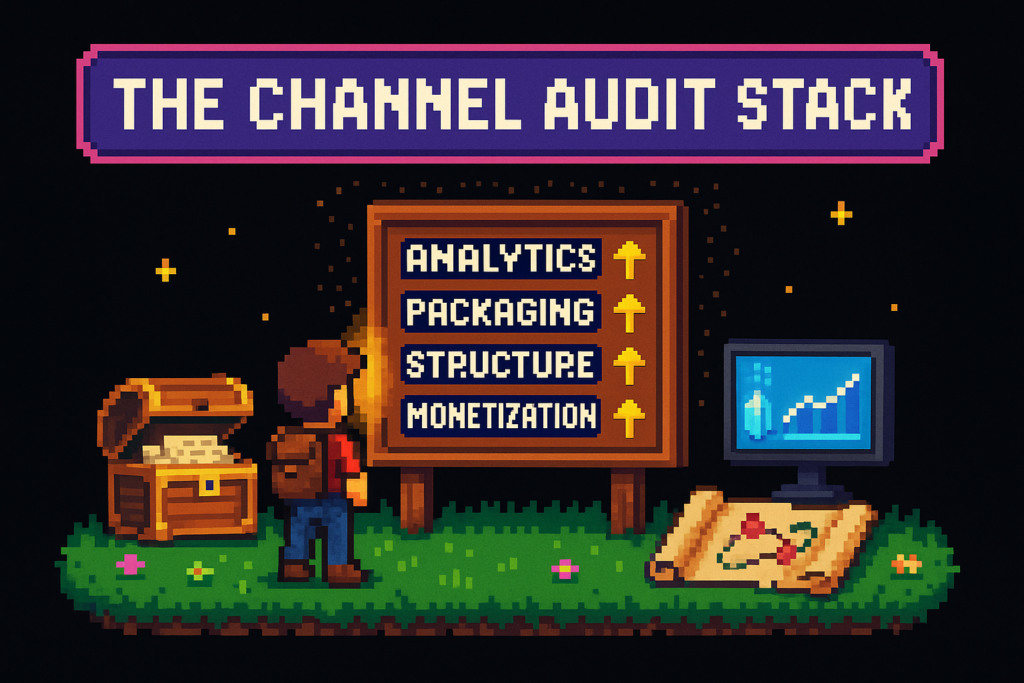
The system here is the Channel Audit Stack: analytics, packaging, structure, and monetization.
The Channel Audit Stack
Operators get into trouble when they jump straight to tags. That's like repainting the loading dock while the warehouse line is jammed. If the flow is broken, cosmetic fixes won't save throughput.
The Channel Audit Stack keeps the review in order:
Analytics
Start with YouTube Analytics. Look at Impressions, CTR, Average View Duration, Audience Retention, and Traffic Sources. This tells you whether the problem is reach, clicks, or viewer satisfaction.
Packaging
Once the metrics point to a click problem, review titles, thumbnails, descriptions, and keyword alignment. This is where a video metadata audit belongs. If you need a deeper packaging playbook, the YouTube SEO guide is the best companion resource.
Structure
Then check how the videos are built. Review chapter coverage, intro pacing, and whether the structure matches what viewers actually scrub for and watch through. For chapter-specific cleanup standards, see YouTube chapters SEO.
Monetization
Last, check whether the channel is capturing the revenue it creates. Product mentions without links, stale affiliate URLs, and inconsistent tracking IDs are quiet leaks.
Low views don't always mean bad topics. Weak packaging, poor early retention, or traffic source mismatch can bury a solid idea.
In practice, start with demand and viewer behavior, then move into metadata, chapters, and revenue cleanup. Once you know the stack, the audit gets much faster.
The metrics to review first
You don't need twenty metrics. You need the few that explain most channel issues.
CTR, or click-through rate, tells you how often people click after seeing the video. Average View Duration shows how long they watch on average. Audience Retention shows where they leave. Traffic Sources tell you where discovery is coming from.
Use this reference table first:
| Metric | What it measures | What it can tell you | What it can't tell you by itself |
|---|---|---|---|
| Impressions | How often YouTube shows the video | Whether the video is getting a chance to compete | Why viewers didn't click |
| CTR | Clicks divided by impressions | Whether title and thumbnail convert exposure into views | Whether the video satisfies viewers after the click |
| Average View Duration | Average watch time per view | Whether the video holds attention overall | Exactly where viewers drop |
| Audience Retention | Viewer drop-off over time | Where the hook, pacing, or structure breaks | Whether the video got enough impressions to matter |
A top-line views report hides too much. Two videos can both have 10,000 impressions and underperform for opposite reasons. One gets ignored because the packaging is weak. The other gets clicked but loses viewers in the first 30 seconds.
That's why a channel performance review starts with diagnosis rules, not vanity metrics.
CTR and impressions, are people getting the chance to click?
Impressions and CTR work together. Low impressions usually point to weak topic demand, poor search alignment, or limited distribution. Healthy impressions with weak CTR usually point to packaging.
If a video gets served broadly on Home and stalls at a weak click rate, the topic probably got a fair shot. The title and thumbnail didn't convert the opportunity.
For example, a software tutorial gets 28,000 impressions in Browse Features, but the thumbnail is a dark screenshot and the title reads like a file name. You don't need a new topic first. You need a better promise.
Average View Duration and Audience Retention, do viewers stay?
Average View Duration gives you the summary. Audience Retention gives you the map.
If a 15-minute tutorial loses 35 percent of viewers in the first 45 seconds, then stabilizes, that's usually an intro problem. The topic didn't fail. The opening was too slow, too broad, or too self-referential.
Mid-video dips tell a different story. They often point to pacing issues, repeated points, or a section that should've been a chapter break. This is where structure and chapters connect directly to viewer behavior.
Traffic sources, where growth is actually coming from
Traffic Sources show whether the channel is search-led, browse-led, suggestion-led, or dependent on external traffic. That changes what you fix first.
A search-heavy tutorial channel should care a lot about title clarity, metadata consistency, and chapter labeling. A browse-heavy commentary channel may need stronger packaging and better opening hooks.
One common mismatch shows up when older tutorials still pull views from Search, but recent uploads are framed like opinion pieces built for Browse. The creator ends up publishing in two different lanes and wondering why performance feels random. It isn't random. The channel architecture is mixed.
Want to tighten the packaging side after diagnosis? Review your title patterns with YouTube title optimization.
A 7-step YouTube channel audit workflow
A one-time rescue helps. A recurring monthly review changes the channel.
The workflow breaks down into seven steps. Each step should produce one output, not a giant pile of notes.
Step 1, pull channel-level trends
Review the last 90 days in YouTube Analytics, then compare that window to the prior period. Segment by topic, format, and upload cadence.
The output is a shortlist of patterns. Maybe tutorials are gaining impressions while commentary is flattening. Maybe weekly uploads perform better than bursts followed by silence.
A small team can do this in 20 minutes and avoid a month of bad assumptions.
Step 2, find outliers and underperformers
Sort videos by Impressions, CTR, Average View Duration, and Retention. You're looking for high-opportunity misses, not every weak video in the library.
One video may have strong impressions and weak CTR. Another may have strong CTR and poor retention. Both need help, but not the same help.
The output is a prioritized fix queue.
Step 3, audit titles and thumbnails
Review promise clarity, keyword alignment, and visual consistency. Titles and thumbnails should work as a pair.
A review video might target a clear search term, but the thumbnail uses vague text like "My Honest Thoughts" with no product image. That's not a topic issue. That's a packaging mismatch.
The output here is a repackaging list for videos with the most upside.
Step 4, review descriptions, tags, and chapters
Check YouTube descriptions for useful summaries, current links, and monetization intent. Review YouTube tags as support signals, not the main growth lever. Then audit chapter coverage across the back catalog.
A tutorial that still ranks in Search with a two-line description, no chapters, and outdated links is active inventory with bad merchandising. Old videos still work for you, or against you.
The output is a cleanup list covering metadata and structure.
Step 5, analyze retention dips against video structure
Use a few representative videos, not every upload. Match retention drops to intro length, pacing, chapter placement, and topic drift.
If three videos in the same series all dip before the first real demo, the problem isn't mysterious. The creator is over-explaining up front.
The output is a set of repeatable production rules: shorter intros, earlier payoff, cleaner chapter breaks.
Step 6, check monetization and affiliate link coverage
Review product mentions against description links. Confirm tracking IDs are present and consistent, especially if you're using Amazon Associates or Lasso-managed links.
A gear channel might mention cameras, lights, and editing software in every upload but only link the camera. Across 100 videos, that's a real revenue leak.
The output is a monetization gap list for backfill.
Step 7, turn findings into a recurring publishing checklist
This is where most audits either become useful or become forgotten documents.
Convert repeated issues into a pre-publish checklist and a monthly review checklist. If a team manages the channel, assign owners. One person handles packaging review. Another handles description and link hygiene. Another checks chapter coverage.
The output is a system that stops the same mistakes from compounding.
A full audit doesn't have to consume a weekend. The first pass can focus on the top 20 videos by impressions and the last 10 uploads.
Common findings and fixes after a YouTube channel audit
Most audits surface the same operator problems. That's good news, because repeated problems are fixable problems.
Use this table as a fast diagnosis map:
| Symptom | Likely cause | Recommended fix |
|---|---|---|
| Low impressions, solid retention | Weak topic demand, poor keyword targeting, limited search alignment | Reframe titles, tighten metadata, build topic clusters |
| High impressions, low CTR | Weak title promise, thumbnail mismatch, unclear positioning | Repackage title and thumbnail together |
| Strong clicks, weak early retention | Slow intro, delayed payoff, mismatch between promise and opening | Tighten hook, move value earlier, improve structure |
| Missing chapters on long videos | Manual workflow fatigue, no chapter standard | Add transcript-based chapters and standardize chapter review |
| Product mentions with no affiliate links | Rushed publishing, no description template, manual copy-paste fatigue | Add link review to checklist, automate product detection where possible |
| Search traffic concentrated on old videos only | New uploads built for a different traffic model | Standardize around search-led or browse-led packaging by format |
| Descriptions are stale across back catalog | No monthly cleanup process | Batch update priority videos first |
Low impressions, but solid retention
If viewers stay once they click, the content likely isn't the main problem. Discoverability is.
This usually points to weak search alignment, poor title framing, or topics that aren't clustered well enough for YouTube to understand the lane. A tutorial can be genuinely useful and still get buried if the packaging doesn't match how people search.
High impressions, low CTR
This is classic packaging failure. YouTube is giving the video a chance, but viewers aren't choosing it.
Treat the title and thumbnail as one unit. Don't fix one and leave the other vague. If the title promises a direct answer, the thumbnail should reinforce that answer, not introduce a different angle.
Strong clicks, weak early retention
This usually means the opening doesn't cash the promise fast enough.
A common example: the title promises "how to fix X in 5 minutes," but the first minute is channel branding, setup chatter, and scene-setting. Viewers bounce because the video delayed the payoff.
Product mentions with no affiliate links
This one is less glamorous and more expensive than most creators think.
A creator mentions three tools on camera, publishes with a bare description, and tells themselves they'll fix it tomorrow. Tomorrow turns into next month. Across a growing catalog, that's not a one-off oversight. It's a broken monetization habit.
Where Vidrunner fits after the audit
A channel review tells you what to fix. Vidrunner helps standardize how you fix it.
Most creators don't need another dashboard. They need the repetitive cleanup handled the same way every time. Timestamps, tags, and affiliate links are small tasks on their own. Across dozens of uploads, they turn into backlog fast.
Audit findings Vidrunner can help standardize
Vidrunner is strongest after the diagnosis phase, especially across the Channel Audit Stack's packaging, structure, and monetization layers.
It helps with:
- Missing or weak Video Chapters on long-form uploads
- Inconsistent tag generation across the catalog
- Product mentions without links in descriptions
- Slow post-upload cleanup inside YouTube Studio
A creator with 12 videos needing chapters, 8 needing better tags, and 15 with missing product links doesn't need more theory. They need batchable execution.
A simple post-audit workflow for new uploads and back catalog cleanup
For new uploads, the workflow is simple:
- Upload the video
- Paste the URL into Vidrunner
- Generate timestamps, tags, and affiliate links
- Paste the outputs into YouTube Studio before publish
That closes the usual "I'll fix it later" gap.
For back catalog cleanup, start with priority videos first. Use the top search-driven uploads, top product-driven uploads, or top videos by impressions. Batch those before touching the long tail.
One practical scenario: a creator audits the channel and finds that 20 older tutorials still pull Search traffic. They run those through Vidrunner first because chapter cleanup, better tags, and affiliate links will compound there fastest.
Shorts are the exception. They don't need chapters, but tags and product links still apply.
If your audit keeps surfacing chapter and metadata cleanup, Vidrunner features shows where the workflow speeds up.
Common creator objections
The resistance usually isn't about whether a review is useful. It's about whether it feels worth the effort right now.
Here's the blunt version: intuition-led publishing feels faster until the backlog shows up.
"I can just look at views and know what's wrong"
You can't, at least not reliably.
Views are an outcome, not a diagnosis. Pair them with CTR, Average View Duration, Audience Retention, and Traffic Sources. Two low-view videos can fail for opposite reasons, and views alone won't tell you which fix queue they belong in.
"My channel is too small to audit"
Small channels benefit the most from standardizing early.
Even 10 to 20 uploads can reveal repeated mistakes: inconsistent titles, missing chapters, weak descriptions, and unlinked product mentions. Fixing those now is easier than cleaning up 150 videos later.
"A full audit takes too long"
Only if you try to review everything at once.
Start with the last 90 days, the top 20 videos by impressions, and the last 10 uploads. That's enough to spot the system problems. Monthly reviews get faster once the checklist exists.
"I only need to audit new videos"
Not if older videos still earn Search traffic, Suggested traffic, or affiliate clicks.
A two-year-old tutorial with stale metadata and broken or missing links is still active inventory. Back catalog cleanup is where a lot of compounding gains hide.
"YouTube auto-features already handle chapters and metadata"
Auto-features help. They don't replace review.
Auto-chapters often split videos into awkward blocks that don't match spoken transitions. Transcript-based chapter optimization is usually cleaner, more useful for viewers, and easier to align with the actual structure of the video. YouTube's own chapter guidance is a useful baseline, but manual review still matters.
FAQ
What is a YouTube channel audit?
It's a structured review of a channel's performance, packaging, metadata, audience behavior, and monetization setup across the full catalog. It goes beyond casual analytics checking because it looks for repeatable problems, not just one bad upload.
How often should you audit a YouTube channel?
Run a light review monthly and a deeper audit quarterly. Monthly checks keep workflow mistakes from piling up. Quarterly reviews give you enough data to spot bigger shifts in topic performance, traffic sources, and retention patterns.
What metrics matter most in a YouTube channel audit?
Start with Impressions, CTR, Average View Duration, Audience Retention, and Traffic Sources. Those five usually tell you whether the problem is reach, packaging, structure, or channel architecture.
What's the difference between a YouTube channel audit and a video audit?
A channel audit looks across the full catalog and publishing workflow. A video audit focuses on one upload. One is for diagnosing repeated growth problems, the other is for fixing a specific video.
How do you find underperforming videos during a channel audit?
Sort videos by Impressions, CTR, Average View Duration, and Retention inside YouTube Analytics. Look for outliers with high opportunity, like videos getting strong impressions but weak clicks, or strong clicks with poor early retention.
How long does a YouTube channel audit take?
A first pass usually takes one to three hours if you scope it to the last 90 days, top videos by impressions, and recent uploads. Recurring monthly reviews are much faster because the checklist and fix queues already exist.
Can Vidrunner help fix issues found in a channel audit?
Yes, especially after the diagnosis is done. Vidrunner helps standardize timestamps, tags, and affiliate links so you can clean up packaging, chapter coverage, and monetization gaps faster.
Can you audit a full back catalog with Vidrunner?
Vidrunner helps with cleanup and bulk processing, not the analytics diagnosis by itself. Use YouTube Studio and YouTube Analytics to identify what needs work, then use Vidrunner to speed up the fixes across priority videos.
What does Vidrunner cost for ongoing channel cleanup?
At the time of writing, Vidrunner offers a free plan plus paid tiers for heavier use and bulk processing. Verify current pricing before publish, especially if you're comparing Free, Creator, Pro, and Studio plans.
Is Vidrunner useful if you don't add affiliate links to every video?
Yes. Even without affiliate-heavy content, timestamps and keyword-rich tags still save time and improve publishing consistency. If products do come up, the link workflow is already there.