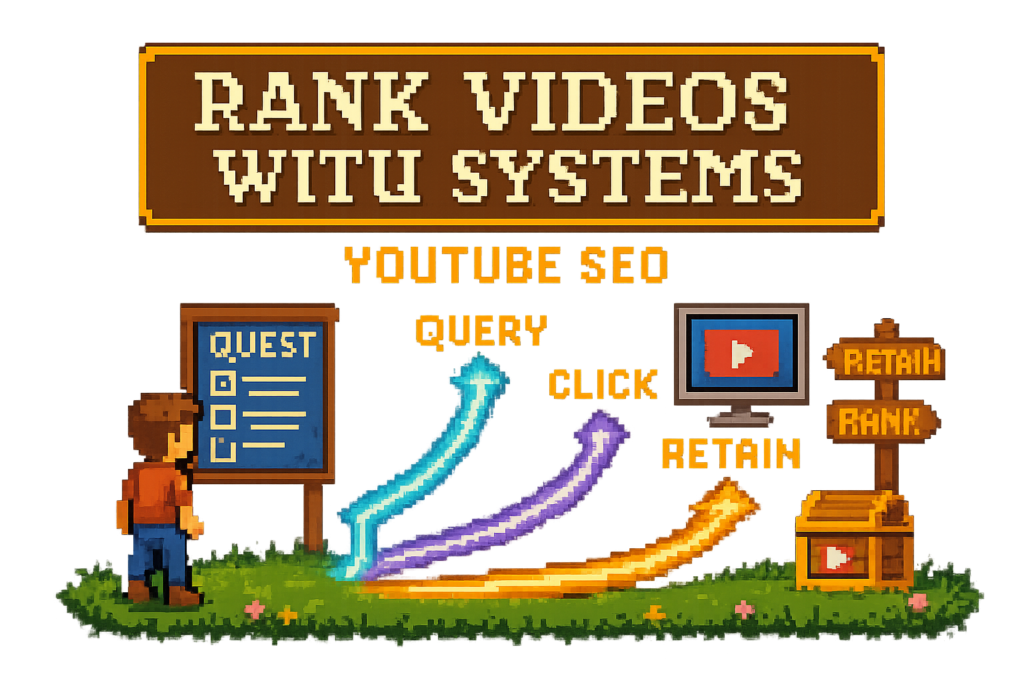
How YouTube SEO works in practice
YouTube SEO is the practice of improving how a video gets discovered and chosen on YouTube Search and related surfaces by optimizing its packaging, metadata, and viewer performance signals. It includes keyword targeting, titles, descriptions, tags, chapters, thumbnails, and post-publish measurement in YouTube Analytics.
A few terms matter from the start. CTR (click-through rate) is the percentage of impressions that become clicks. Impressions are the times YouTube shows your thumbnail to viewers. Watch time is the total time people spend watching. Audience retention measures how much of the video viewers keep watching. Video chapters are timestamped sections that help viewers scan and jump.
Search, browse, and suggested each reward different signals
YouTube SEO isn't only about ranking in YouTube Search.
YouTube has multiple discovery surfaces: search, browse, and suggested. Search is intent-heavy. A viewer types a need, like "best mirrorless camera settings for low light," and expects a direct answer. Browse and suggested work more like recommendation systems. The viewer may not search at all, but YouTube still decides what to show.
Because of that, each surface rewards different things.
Search optimization starts with topic clarity. Your title, description, tags, and chapters help YouTube understand what the video is about. Browse optimization leans harder on packaging and response. If people see the thumbnail, click, and keep watching, distribution expands.
Metadata helps YouTube understand a video. Performance signals help YouTube trust it.
A tutorial creator can feel this fast. Say you publish an 18-minute video on camera settings, but the title says "My Favorite Setup" and the thumbnail shows your face with no clear outcome. YouTube gives the video some impressions, but weak CTR tells the system viewers aren't choosing it. Distribution slows before the content gets a fair shot.
Myth: YouTube SEO is just adding keywords. Reality: ranking videos on YouTube takes packaging, viewer response, and follow-through after publish.
If you want more on packaging, start with YouTube title optimization and then pair it with better measurement in YouTube analytics tools.
Metadata tells YouTube what the video is. Viewer behavior tells YouTube if it should keep recommending it
Think of this as two jobs.
Job one is classification. YouTube reads your metadata: title, description, tags, chapters, and even playlist placement. These signals tell the platform what the video covers, who it might help, and which queries or related videos it belongs with.
Job two is satisfaction. Once YouTube tests the video with real viewers, behavior takes over. CTR shows whether the package earns the click. Average view duration shows how long viewers stay. Retention shows where they drop, skip, or stick around.
In practice, both jobs matter at the same time.
A software walkthrough is a good example. If the title includes the exact feature name, the description explains the use case, and the chapters match the tasks viewers actually want, YouTube can classify the video quickly. Then viewers can jump straight to the fix they need. Better classification gets the video into the right pool. Better usability helps it stay there.
Google can also surface YouTube videos, especially for tutorials, walkthroughs, and how-to queries. However, YouTube video SEO isn't the same as Google SEO. Google leans more on crawlable text and page authority. YouTube leans more on metadata plus viewer behavior.
For YouTube's own guidance on search and discovery, see How YouTube Search and Discovery works. For query validation, Google Trends can help compare phrasing.
Myth: SEO stops after publish. Reality: if your process ends at upload, that's where a lot of ranking gains get left behind.
If your descriptions are thin, use a YouTube description template. If your long videos are hard to scan, fix that with YouTube chapters SEO.
The Three-Layer YouTube SEO Stack
Most creators don't need more random tips. They need a system they can run on every upload.
Here's the system: the Three-Layer YouTube SEO Stack.
Layer one is query matching and topic clarity. Layer two is packaging that earns the click. Layer three is retention and iteration after publish. Miss one layer and the whole stack gets weaker.
Layer 1, query matching and topic clarity
This is where keyword research actually matters.
Pick one main search intent per video. Not three. Not a vague theme. One clear viewer need. Then support it with related phrases that reinforce the topic without muddying it.
A fitness creator targeting "adjustable dumbbell workout" shouldn't name the video "My New Home Routine." That title may sound personal, but it hides the retrieval target. A better package would build around the actual query and related phrases viewers use, like home dumbbell workout, full body adjustable dumbbell routine, or apartment strength workout.
This doesn't mean stuffing keywords everywhere. It means making the topic obvious.
Use tools like Google Trends, TubeBuddy, and vidIQ to validate phrasing, compare variants, and spot demand patterns. Then commit to one primary query. The cleaner the topic signal, the easier it is for YouTube to understand where the video belongs.
Manual optimization can work here, but it gets messy fast if you choose the query after editing, after thumbnail design, and after upload. That's backward. Pick the target before the package is built.
If you want deeper title tactics, go to YouTube title optimization. If you want tool options for research and packaging, see best YouTube SEO tools.
The right topic signal is the starting point, but it won't carry a weak package.
Layer 2, packaging that earns the click
This is where relevance meets persuasion.
CTR is the percentage of impressions that turn into clicks. If YouTube shows your video 1,000 times and 40 people click, your CTR is 4 percent. That doesn't tell the whole story, but it does tell you whether the package is doing its job.
Titles, thumbnails, and descriptions all shape click behavior. So do chapters, especially on longer videos where viewers want to scan before committing.
Picture two videos targeting the same query. One uses a generic title like "How I Edit Videos" and a thumbnail that looks like every other editing tutorial. The other says "How to Edit YouTube Videos 2x Faster in Premiere Pro" and shows the before-and-after timeline. Same topic. Same impression pool. Different click appeal. The second video usually wins more clicks because the outcome is clearer.
This is where creators confuse search optimization with browse optimization. Search viewers often want exactness. Browse viewers respond more to curiosity and payoff. The overlap is real, but they aren't identical. Your package has to signal both relevance and a reason to choose.
Myth: Titles are enough. Reality: titles help, but thumbnails carry a huge share of click behavior, and descriptions plus chapters still support clarity.
If your packaging is inconsistent, tighten the title with this title guide and clean up the supporting copy with a description template.
Better packaging usually beats more publishing when the topic is already right.
Layer 3, retention and iteration after publish
This is where the stack becomes a workflow instead of a checklist.
Audience retention tells you how much of the video viewers keep watching. Average view duration tells you the average amount of time watched per view. Together with watch time, these metrics help explain whether your video actually satisfies the click it earned.
YouTube keeps testing videos after publish. That's why post-upload optimization matters.
A creator might notice a steep drop at the two-minute mark in YouTube Analytics. That usually points to a mismatch: slow intro, weak structure, or a promise that took too long to fulfill. The fix isn't only for the next video. You can also revisit older uploads, tighten descriptions, add clearer chapters, and improve packaging so the right viewers click in the first place.
Think of it like plumbing versus paint. Spending 20 minutes on tags while ignoring a retention cliff is repainting the front door while the pipe is leaking. The bigger problem sits underneath.
This is also where workflow tools help. Manual cleanup gets skipped fast. Vidrunner supports the post-upload side by generating timestamps, tags, and affiliate links from a pasted URL, so you can actually run the cleanup loop instead of promising yourself you'll do it later. More on that in Vidrunner features and YouTube analytics tools.
YouTube ranking factors creators can actually influence
You don't control rankings directly. You control the inputs that influence them.
That's a better mindset because it keeps you focused on the levers that matter.
The ranking factors table, what matters and what you control
| Factor | What it means | Why it matters | What creators can control |
|---|---|---|---|
| Title relevance | How clearly the title matches the topic and query | Helps classification and click intent | Choose one main query, write clear outcome-driven titles |
| Thumbnail strength | How visually compelling and specific the thumbnail is | Drives clicks from impressions | Improve contrast, clarity, emotion, result preview |
| CTR | Percentage of impressions that become clicks | Signals whether viewers choose the package | Test titles and thumbnails, align promise with intent |
| Watch time | Total minutes watched across views | Helps YouTube judge overall value | Improve structure, pacing, and topic fit |
| Audience retention | How much of the video viewers keep watching | Strong signal for satisfaction | Hook faster, cut filler, improve chaptering |
| Average view duration | Average amount watched per view | Shows depth of engagement | Match promise early, tighten intros, improve flow |
| Description quality | How well the description explains the video and adds context | Supports classification and viewer clarity | Add summary, key phrases, links, and context |
| Tags | Supporting topic labels and alternate phrasing | Helps with context, misspellings, and variants | Add relevant terms, abbreviations, and common misspellings |
| Chapters | Timestamped sections with labels | Improve scanability, navigation, and topical segmentation | Add descriptive chapter labels based on actual content |
| Playlist placement | Grouping videos into relevant series | Helps context and session flow | Add videos to relevant playlists |
| Engagement signals | Likes, comments, shares, saves, and other viewer actions | Secondary clues about satisfaction and relevance | Ask better questions, create useful videos worth responding to |
The big takeaway is simple: don't overinvest in the smallest field.
A creator can spend 20 minutes stuffing tags, leave the thumbnail untouched, skip chapters, and wonder why the video stalls. That's backward. The bigger levers are usually title clarity, thumbnail strength, retention, and packaging that matches intent.
Myth: Tags are the main ranking lever. Reality: tags help, but they're supporting metadata, not the engine.
Once you know which levers matter most, the workflow gets simpler.
YouTube SEO vs Google SEO
The overlap is real, but the feedback loop is different.
| Area | YouTube SEO | Google SEO |
|---|---|---|
| Core input | Metadata plus viewer behavior | Crawlable text, links, and page authority |
| Main discovery model | Search plus recommendations | Search-first index |
| Key performance signals | CTR, watch time, retention, average view duration | Relevance, authority, backlinks, page quality |
| Packaging importance | Extremely high | Moderate, depends on SERP format |
| Intent matching | Essential | Essential |
A blog post can rank with strong written depth and backlinks even if the page design is plain. A YouTube video can have the right keywords and still stall if viewers don't click or don't keep watching.
That's the mismatch many creators bring over from web SEO. They treat YouTube like a blog post with a thumbnail. It isn't. It's a recommendation engine that also has search.
Paste your next video URL and see Vidrunner generate timestamps, tags, and links—free.
A repeatable YouTube optimization workflow for every upload
The workflow breaks down into three steps: pre-publish, publish, and post-publish.
Run these every time and your channel gets more consistent. Skip them and you're back to random acts of optimization.
Pre-publish, choose the query and package the promise
Start before the upload screen.
- Choose the primary keyword and supporting phrases.
- Draft multiple title options around intent, not cleverness.
- Plan the thumbnail around the promised outcome.
- Prepare likely chapter breaks from the script or edit structure.
A creator filming a desk setup review shouldn't wait until upload day to decide what the video is about. If the target query is "best standing desk accessories," that decision should shape the title, thumbnail concept, and chapter labels before editing wraps. Upload day gets easier because the package already has a job.
Use Google Trends, TubeBuddy, or vidIQ to compare phrasing. Then keep the promise tight. "Best Standing Desk Accessories for Productivity" is clearer than "My Desk Setup Upgrades."
Planning the package early saves you from fixing a messy upload later.
Publish, optimize metadata in YouTube Studio
This is the execution step.
Open YouTube Studio and finish the package before the video goes live. Don't publish a half-finished draft and tell yourself you'll clean it up tomorrow. Hope isn't a publishing strategy.
A creator uploading a 22-minute camera tutorial should launch with a polished description, chapter list, tags, thumbnail, and playlist placement already in place. That gives YouTube a complete classification signal from the start.
Use this checklist:
| Element | Purpose | Best practice | Common mistake |
|---|---|---|---|
| Title | Match query and earn the click | Lead with the topic and payoff | Being vague or overly clever |
| Description | Add context, links, and supporting phrases | Summarize the video, include key terms naturally, add product links | Leaving a placeholder or one-line description |
| Tags | Reinforce context and variants | Add alternate phrasing, abbreviations, and misspellings | Stuffing unrelated keywords |
| Chapters | Improve scanability and topical segmentation | Use descriptive, keyword-aware labels | Using generic labels like "Part 1" |
| Thumbnail | Increase click appeal | Show the result, contrast, and clear visual focus | Reusing a cluttered design |
| Playlist placement | Add context and session flow | Place the video in a relevant playlist | Ignoring playlists entirely |
Descriptions do more than help classification. They also give viewers context, organize product mentions, and create a clean home for links. If you need help with structure, use a YouTube description template. If your videos need better long-form navigation, see YouTube chapters SEO.
Tags still help with context and misspellings, but they aren't the main lever.
Myth: YouTube auto-chapters are good enough. Reality: auto-chapters can help, but transcript-based chapter generation is usually cleaner and more useful because it follows the actual spoken beats.
Post-publish, measure early signals and iterate
This is where most creators stop too early.
After publish, check impressions, CTR, average view duration, and audience retention in YouTube Analytics. Don't obsess over one number in isolation. Instead, look for the pattern.
High impressions plus low CTR usually means the package isn't earning the click. Strong CTR plus weak retention usually means the title and thumbnail made a promise the video didn't fulfill fast enough. Low impressions across the board can mean weak topic targeting, weak early response, or both.
A creator might see solid impressions but weak CTR during the first week. That's a packaging problem. Swap the thumbnail, tighten the title, and add clearer chapters. If the next round of impressions performs better, you've confirmed the diagnosis.
Re-optimize older uploads too. That's one of the easiest ways to improve YouTube discoverability without filming something new.
For a practical workflow reference, YouTube's Creator Academy is useful for publishing and optimization basics.
Myth: SEO stops after publish. Reality: post-publish iteration is part of the system, not extra credit.
The faster you can revise metadata after upload, the more often you'll actually do it.
Metadata and chapters are where most creators leave easy gains
Small cleanup work can produce outsized results.
Most channels don't need a total strategy reset. They need better packaging hygiene.
Title and description optimization, clarity beats cleverness
A title should do two jobs: match intent and signal payoff.
That means clarity usually beats cleverness. A creator who renames "What I Use Every Day" to "Best Budget Podcast Mic Setup for YouTube" gives both YouTube and the viewer a much cleaner signal. The description can then list the gear, explain the use case, and support the topic with natural secondary phrasing.
Descriptions aren't filler text under the fold. They help classification, give viewers context, and create a clean home for product links, resources, and supporting terms. That's why YouTube description optimization matters alongside title optimization.
Don't stuff either field. Write for classification and clicks, not for a robot checklist.
Myth: I already optimize titles, isn't that enough? Reality: the title gets attention, but the rest of the metadata still helps YouTube understand the video and helps viewers decide if it's worth their time.
Tags still have a role, but they're supporting metadata
"YouTube tags are dead" is the wrong takeaway.
Tags aren't dead. They're just not the main event.
Their realistic job is support: alternate phrasing, abbreviations, common misspellings, and topic reinforcement. If you cover a software tool with multiple spellings or shorthand versions, tags can help catch those variations. But they won't rescue a vague title or a weak thumbnail.
That's why keyword-rich tag generation is a time saver, not a ranking shortcut.
If tags take you 20 minutes per upload, the process is broken. Use TubeBuddy, vidIQ, or Vidrunner to speed up the field, then move your attention back to the bigger levers. If you want a broader stack comparison, see best YouTube SEO tools or Vidrunner features.
Myth: YouTube tags are dead, so metadata doesn't matter. Reality: tags are supporting metadata, and metadata still matters because it helps classification and click clarity.
Chapters improve scanability, retention, and query matching
Video chapters are timestamped sections that let viewers jump to the part they need.
That sounds like a usability feature, and it is. But it's also a search and retention feature. Chapters improve scanability, segment the topic more clearly, and help viewers commit to longer videos because they can see the structure before they watch.
A 28-minute tutorial with no chapters forces viewers to scrub blindly. Some will bounce. Add transcript-based chapters with clear labels like "Fix Exposure Settings," "White Balance Setup," and "Low Light Test," and the video becomes easier to choose and easier to use.
That's why generic labels don't help much. "Step 1" and "Part 2" waste the field. Descriptive, keyword-aware labels do more work.
Compare YouTube auto-chapters with transcript-based chapter generation: auto-chapters can be decent, but transcript-based outputs usually map better to the moments viewers actually care about. Vidrunner is built for that post-upload cleanup, which is why it can help even if the rest of your workflow stays manual.
Myth: Chapters are only for usability. Reality: they also support query matching, topical clarity, and viewer navigation.
Better chapters are one of the fastest post-upload fixes you can make.
Paste your next video URL and see Vidrunner generate timestamps, tags, and links—free.
Measure what changed, then improve the next upload
Analytics shouldn't turn you into a spectator.
They should tell you what to fix next.
Read YouTube Analytics like an operator, not a spectator
Read the metrics together.
Impressions tell you whether YouTube is showing the video. CTR tells you whether the package earns the click. Watch time and average view duration tell you how long viewers stay. Audience retention shows where the experience breaks.
Common patterns are easier to diagnose than most creators think:
- High impressions, low CTR: packaging problem.
- Low impressions, decent CTR: topic or distribution problem.
- High CTR, weak average view duration: promise mismatch or slow delivery.
- Strong retention, weak clicks: content is good, packaging is underselling it.
A search-driven tutorial with high CTR but weak average view duration usually made the right promise and delivered it too slowly. The next upload should open with the answer sooner, cut the scene-setting, and get to the payoff faster.
Don't react emotionally to one metric. Diagnose the bottleneck. Then change one thing you can actually control.
If you want help reading the numbers, go to YouTube analytics basics and YouTube analytics tools.
Analytics only help if they feed the next publishing decision.
Build a post-upload cleanup loop with Vidrunner
This is where operators buy back time.
Vidrunner supports the cleanup tasks that usually get skipped after upload: timestamps, keyword-rich tags, and affiliate product links. The workflow is simple:
- Paste the YouTube URL.
- Let Vidrunner transcribe the video, detect topic shifts, and identify mentioned products.
- Copy the outputs into YouTube Studio.
A gear reviewer uploading a 19-minute video can paste the URL into Vidrunner and get chapter timestamps, tags, and affiliate links in about a minute. Compare that to scrubbing the timeline, guessing tags, and manually building links from memory. One process gets done. The other turns into "I'll fix it later."
This isn't a promise of rankings. It's workflow automation. That's the point.
If you use Lasso too, detected products can flow into your broader monetization setup for tracking, localization, and Marketplace opportunities. Vidrunner handles the publishing cleanup. Lasso extends the affiliate infrastructure behind it.
Myth: I don't have time to do this on every upload. Reality: you probably don't have time to do it manually on every upload. That's different.
FAQ
What is YouTube SEO?
YouTube SEO is the process of improving discoverability and click performance on YouTube through metadata, packaging, and viewer satisfaction signals. That includes titles, thumbnails, descriptions, tags, chapters, playlists, CTR, watch time, and retention.
How does YouTube SEO work?
It works in two stages. First, YouTube reads metadata to classify the video and decide which queries or audiences it fits. Then it tests the video with viewers and expands or limits distribution based on click behavior and watch behavior.
What are the most important YouTube ranking factors?
The biggest factors creators can influence are topic relevance, title clarity, thumbnail strength, CTR, watch time, audience retention, average view duration, and the quality of descriptions and chapters. Tags still matter, but they usually matter less than packaging and viewer response.
Do YouTube tags still matter for SEO?
Yes, but mostly as a supporting signal. Tags help with alternate phrasing, abbreviations, and misspellings, but they won't compensate for weak titles, thumbnails, or poor retention.
Do chapters help YouTube SEO?
Yes. Chapters improve scanability, topical clarity, and viewer navigation, especially on longer videos. They can also support better retention because viewers can jump straight to the section they need.
How long does YouTube SEO take to work?
Some signals show up quickly, especially CTR and early retention after publish. Broader distribution gains can take longer because YouTube keeps testing videos over time. That's why post-publish iteration matters.
Can Vidrunner help with YouTube SEO tasks after I upload a video?
Yes. Vidrunner helps with timestamps, tags, and affiliate links after upload, which supports a more consistent optimization workflow. It doesn't guarantee rankings, but it makes the cleanup work faster and more repeatable.
Does Vidrunner generate chapters, tags, and affiliate links in one workflow?
Yes. Paste a YouTube URL and Vidrunner generates chapter timestamps, keyword-rich tags, and affiliate product links in one pass. The outputs are ready to copy into YouTube Studio.
Can Vidrunner help optimize older videos in bulk?
Yes, for creators who want to backfill older uploads with better timestamps, tags, and links. Bulk channel processing is available on higher plans, which makes backlog cleanup much more practical than doing it manually.