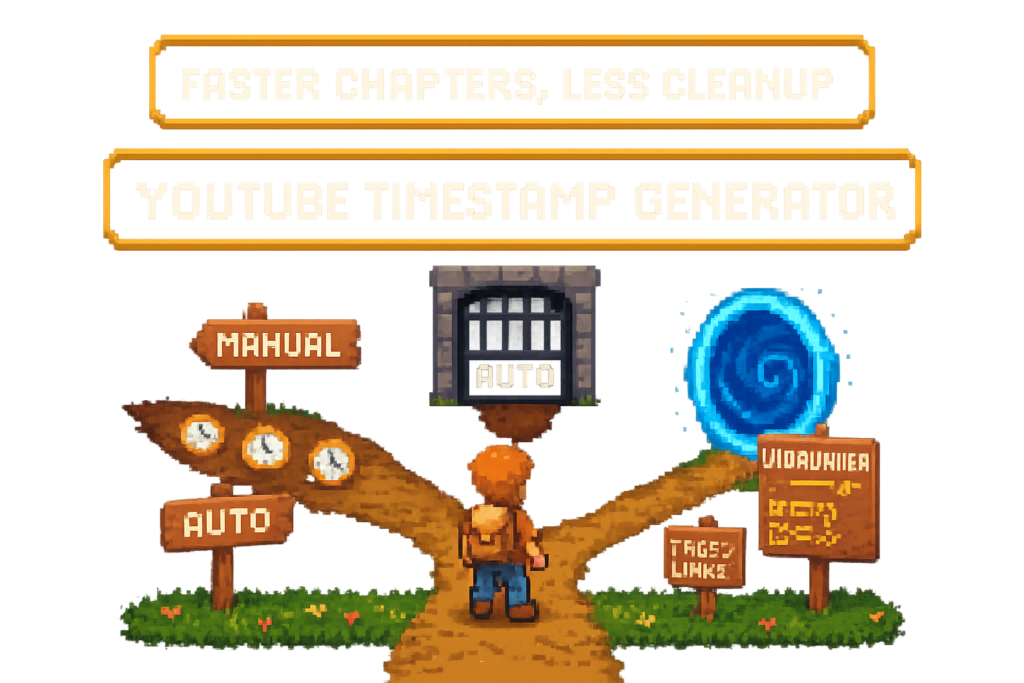
Manual timestamps vs YouTube Auto Chapters vs Vidrunner
A YouTube timestamp generator turns a video's transcript or spoken structure into chapter timestamps you can paste into your YouTube description. For most creators, the real benefit is faster post-upload workflow: fewer manual scrubbing passes, cleaner chapter formatting, and publish-ready output you can still edit.
If you're comparing options, start with three prerequisites: a live or unlisted YouTube URL, a video with spoken audio or a usable transcript, and access to YouTube Studio if you want to paste chapters manually.
What each option actually does
Manual timestamps are creator-written chapter lines added to the YouTube description. You watch or scrub the video, note the time breaks, write labels, and paste them into YouTube Studio. Full control, full labor.
YouTube Auto Chapters are YouTube-generated sections that appear when the platform thinks it can segment the video. They're useful for basic navigation, but you don't get the same control over labels or copy-paste output in your description.
Vidrunner is a YouTube timestamp generator built for post-upload workflow. You paste a YouTube URL, it analyzes the transcript and spoken structure, then gives you editable timestamps you can paste into the description. In the same pass, it can also generate tags and affiliate links. If you want product details, see the Vidrunner features page.
All three can coexist. A creator might leave Auto Chapters on while still pasting manual chapter lines into the description. In practice, though, most channels need one primary system or the process gets messy fast.
A tutorial creator uploading a 22-minute editing walkthrough every Friday is a good example. Manual chaptering costs 20 to 30 minutes. Auto Chapters catch some transitions but miss a few important shifts. A dedicated generator gives them editable chapter lines before publish, which is usually the real win.
Myth: YouTube auto-chapters make timestamp tools unnecessary.
Reality: Auto Chapters can help viewers move around, but they don't replace editable, creator-controlled output for your YouTube description.
Comparison table, speed, control, and publishing fit
Compare the three methods by what actually matters after upload.
| Workflow | Manual timestamps | YouTube Auto Chapters | Vidrunner |
|---|---|---|---|
| Setup required | None beyond editing the description | Usually none, handled by YouTube | Paste URL, generate output |
| Speed to publish | Slowest | Fastest if you accept YouTube's output | Fast, usually about 60 seconds for generation |
| Chapter accuracy at topic transitions | High if you do it carefully | Mixed, depends on YouTube segmentation | High when transcript and spoken shifts are clear |
| Editable output | Yes | Limited | Yes |
| Copy-paste readiness for YouTube Studio | Yes, but manual | No | Yes |
| Support for tags in same workflow | No | No | Yes |
| Support for affiliate links in same workflow | No | No | Yes |
| Single-video use | Fine | Fine | Strong fit |
| Bulk backfill | Poor | Doesn't solve description editing | Strong fit on bulk-capable plans |
| Shorts support | Not usually needed | Not relevant for chapters | Tags and affiliate links still useful |
| Best for | Low-volume creators who want full control | Low-stakes navigation | Long-form publishing, reviews, tutorials, backfills |
A review channel publishing three long-form videos a week feels this difference quickly. Manual chapters are manageable for one upload, then they break under volume. Auto Chapters don't help with tags or affiliate links. A generator turns three separate cleanup jobs into one pass.
Choose manual, auto, or Vidrunner
Use this quick decision frame if you're comparing tools:
| Option | Best role | Best for | Main limitation |
|---|---|---|---|
| Manual timestamps | Full-control chapter writing | Low-volume channels and hand-tuned labels | Slow and repetitive |
| YouTube Auto Chapters | Passive navigation help | Creators who want basic segmentation with no extra work | Limited control and no description-ready output |
| Vidrunner | Publish-ready chapter generation | Tutorials, reviews, affiliate videos, and backfills | Depends on transcript clarity for best results |
If you want the fastest path from upload to finished description, paste your next video URL and see Vidrunner generate timestamps, tags, and links—free.
How to choose the right timestamp workflow
Choose by video type
Start with format.
Manual chaptering still makes sense for low-volume channels, short educational videos, or creators who want every label hand-tuned. If you post one 6-minute explainer a week, the time cost may be annoying but tolerable.
YouTube Auto Chapters fit low-stakes navigation. If you don't care much about description editing and just want YouTube to add some structure, they're fine. That's especially true for channels where viewers aren't scrubbing to exact sections.
A dedicated YouTube timestamp generator makes the most sense for long-form tutorials, reviews, interviews, and anything with multiple topic shifts. Those are the videos where viewers want exact jump points, and where manual cleanup starts eating your publishing time.
Shorts are the exception. They usually don't need chapter output, but they can still benefit from tags and affiliate links if products are mentioned.
A creator posting both 8-minute opinion videos and 35-minute software tutorials shouldn't use the same workflow for both. The short takes can stay manual. The tutorials need automation because viewers scrub to setup, import, export, and troubleshooting sections, and you can't spend half an hour rebuilding that structure every upload.
Myth: Timestamp generators are only for SEO.
Reality: They're mostly a speed and consistency tool. Better viewer navigation helps, but the real gain is getting publish-ready chapter lines without manual scrubbing.
Choose by publishing volume and backlog size
Volume changes the math.
If you publish one video a week, manual work may still be acceptable. Once you move to multiple uploads per week, automation starts paying for itself because the bottleneck isn't chapter quality anymore. It's post-upload repetition.
Backlog size matters even more. Old channel backfill is where manual chaptering stops feeling like craftsmanship and starts feeling like admin. Think of it like cleaning a warehouse with sticky notes: fine for one shelf, useless for the whole building.
A two-person media team running four channels sees this fast. Their bottleneck isn't editing. It's the cleanup after upload: chapters, tags, product links, and description updates. Once they decide to backfill 80 old videos, manual timestamps become a spreadsheet problem, not a creative task.
Agencies and multi-channel teams need repeatable output. They can't rely on memory, guesswork, or whoever happens to be online that day. A system beats a habit here.
How a YouTube timestamp generator works
Step 1, paste the YouTube URL
The workflow breaks down into three steps, and the first one is simple: paste the video URL.
Most tools start with a live, scheduled, or unlisted YouTube link. The system needs accessible audio or transcript signals so it can identify the video's structure. Some platforms also support a channel handle for bulk processing, which matters if you're backfilling a library instead of handling one upload.
A creator uploading a 28-minute camera review as unlisted doesn't need to scrub the timeline first. They can paste the URL into Vidrunner right after upload and let transcript analysis do the heavy lifting.
Compare that to manual chaptering, where the first step is basically: open the video and start hunting.
Step 2, transcript analysis finds topic shifts
This is where a real YouTube timestamp generator separates itself from rough segmentation.
A good YouTube chapters SEO workflow doesn't just slice the video into arbitrary intervals. It uses transcript structure and spoken topic changes to suggest chapter breaks that match how the video actually unfolds. That's the difference between timestamps snapped to spoken beats and timestamps that feel machine-cut.
In a software tutorial, the speaker might move from setup to import settings to export presets. A useful system catches those transitions because the language changes with the task. Rough Auto Chapters may split in the middle of a sentence or merge two distinct sections into one blob.
Chapter labels still need to read naturally. Even if detection is strong, viewers need labels that make sense at a glance. That's why editable output matters.
Myth: Any AI chapter tool works the same.
Reality: Some tools give you rough notes. Better ones give you chapter breaks that line up with how people actually watch and scrub through the video.
Step 3, copy timestamps into YouTube Studio
The publish stage should be boring. That's the goal.
Here's how it works:
- Paste the YouTube URL
- Generate timestamps
- Copy the output
- Paste it into the YouTube Studio description
A useful tool outputs valid chapter formatting, not half-finished notes that still need cleanup. That's the difference between automation and extra editing disguised as automation.
For creators who monetize product mentions, this is also where Vidrunner pulls ahead. In the same pass, it can generate tags and affiliate links. If you use Amazon Associates, your tracking ID can be applied to the links.
A product reviewer mentioning six items in one video doesn't want three browser tabs open for chapters, tags, and links. They want one pass, one copy cycle, and a finished description in a few minutes.
If you're comparing broader workflow automation beyond chapters, the YouTube SEO guide covers the rest of the publishing stack.
Valid YouTube timestamp format, examples that work
The rules YouTube chapters need to follow
YouTube chapter formatting is simple, but it breaks easily.
Your chapter list needs to start with 0:00. Timestamps need to be in ascending order. You need at least three chapters, and each chapter should be at least 10 seconds long. If you miss those basics, YouTube may not recognize the chapters at all.
This isn't a video problem. It's usually a formatting problem.
A creator might type 00:0 Intro or forget to start at 0:00, then wonder why chapters don't appear. The video can be perfectly fine. The description format is what failed.
If you want more on optimization strategy, that's a separate topic on YouTube chapters SEO. Here, the main point is operational: valid formatting saves rework.
A generator helps most when it outputs chapter lines you don't have to debug.
Formatting table, valid and invalid examples
Use this as a quick formatting check before you paste into YouTube Studio.
| Example line | Valid for YouTube | Why |
|---|---|---|
0:00 Intro |
Yes | Starts at 0:00 and uses valid time format |
1:32 Camera setup |
Yes | Proper minutes:seconds format |
10:05 Final verdict |
Yes | Proper format for longer videos |
00 Intro |
No | Missing colon and seconds |
0.00 Intro |
No | Uses period instead of colon |
1:2 Setup |
No | Seconds should use two digits |
00:0 Intro |
No | Invalid formatting |
2:15 |
Weak | Time is valid, but chapter label is missing |
Here's a simple full chapter block for a 10 to 20 minute video:
0:00 Intro
1:18 Who this camera is for
3:42 Image quality test
7:10 Low light sample
10:05 Battery life
12:44 Final verdict
A common failure point is copying timestamps from a notes app that swaps colons for periods. YouTube ignores the formatting, so the chapters never render. Copy-paste-ready output removes that problem.
Which workflow fits your use case
Long-form tutorials and educational videos
Long videos get the most value from precise chapter transitions.
Manual timestamps can still work, but the time cost rises with every upload. Auto Chapters can help viewers move around, but creators usually still want control over the labels and the description block. That's especially true for educational content where section names matter.
A coding channel publishing 40-minute walkthroughs is a clean example. The video might include setup, debugging, deployment, and recap sections. Viewers need exact jump points, and the creator needs chapter labels that match the lesson structure, not whatever YouTube guessed.
For this use case, a dedicated chapter tool is usually the best fit. If the transcript has clear topic shifts, the output gets very close to publish-ready.
Product reviews and affiliate-heavy videos
Reviews don't just need chapters. They need monetized descriptions.
A timestamp-only tool can still leave you doing link cleanup by hand, which is where many creators lose time and revenue. You mention the product on camera, plan to add the link later, then forget. That's not a strategy. That's a wish.
A desk setup creator might mention a monitor arm, keyboard, mic, and light bar in one video. Chapters help viewers jump to each section, but the money comes from getting every product linked before publish. If you're using Amazon Associates, that means applying your tracking ID.
This is where Vidrunner's all-in-one workflow matters. It combines timestamps, tags, and affiliate links in one pass instead of making you stitch together separate tools. For a feature breakdown, see the Vidrunner features page.
Myth: Timestamp generators are only for SEO.
Reality: For review channels, the bigger win is operational. Faster chapters are nice. Not missing monetized product links is better.
Bulk backfill for old videos and channel libraries
Archives change the buying decision.
If you have 10 old uploads, manual cleanup is annoying. If you have 180, manual cleanup is a bad plan. Bulk YouTube chapter generation matters because the job isn't one video. It's a library.
A creator with 180 older uploads who wants to add chapters and monetize product mentions can't realistically do that by hand without losing a weekend, then another one after that. Auto Chapters may already exist on some of those videos, but they don't solve editable descriptions, tags, or affiliate links.
Bulk-capable plans matter here. Vidrunner supports channel-level processing on higher tiers, though current plan details should always be verified before rollout. The point is simple: backlog work needs a system, not heroics.
Shorts, what changes and what doesn't
Shorts are the format exception.
Most Shorts don't need chapter output because the video is too short for meaningful sectioning. So if your only goal is chapters, a YouTube chapter maker won't do much for this format.
What doesn't change is the rest of the publish workflow. Tags can still matter. Affiliate links can still matter if you mention a product. A creator posting a 45-second gadget Short and a 16-minute full review on the same day needs two different outputs from the same system: tags and product links for the Short, full chapters plus tags and links for the long-form review.
That's why a broader publishing tool is more useful than a chapters-only utility for mixed-format channels.
FAQ
What is a YouTube timestamp generator?
A YouTube timestamp generator is a tool that turns a video's content, transcript, or audio into chapter timestamps you can paste into a YouTube description. It helps creators publish faster, keep formatting valid, and control the chapter labels viewers see. Unlike YouTube Auto Chapters, it's built for editable output in YouTube Studio.
How does a YouTube timestamp generator work?
Most tools follow a simple flow: paste the YouTube URL, analyze the transcript or spoken audio, generate chapter breaks, then output timestamps you can copy into the description. Better tools detect topic shifts instead of slicing the video at arbitrary intervals. Some also generate tags and affiliate links in the same workflow.
What's the difference between YouTube auto-chapters and a timestamp generator?
YouTube Auto Chapters are created by YouTube and shown automatically when the platform can segment the video. A timestamp generator gives you editable chapter lines you can paste into YouTube Studio yourself. The main difference is control: Auto Chapters are passive, while a generator gives you publish-ready output you can review and change.
What format do YouTube timestamps need to use?
YouTube chapters should start with 0:00, use ascending timestamps, and include at least three chapters. Each chapter should be at least 10 seconds long, and the time format needs to use colons correctly, like 1:32 or 10:05. Formatting errors can stop chapters from appearing even if the video itself is fine.
Is there a free YouTube timestamp generator?
Yes, free options exist, including tools with limited monthly usage. Vidrunner also offers a free plan, with current plan details and credit limits worth verifying before you publish or buy. Free tiers are usually best for testing the workflow on a few uploads before deciding if bulk or higher-volume use needs a paid plan.
How long does it take to generate timestamps for one video?
Manual scrubbing can easily take 20 to 30 minutes for a longer tutorial or review. Automated generation is much faster, and Vidrunner is positioned around 60 seconds for a typical single-video pass. Actual time depends on video length, transcript clarity, and whether you're also reviewing tags and affiliate links.
How accurate are generated YouTube timestamps compared to manual chapters?
Accuracy depends on transcript quality and how well the tool detects topic shifts. Manual chapters can still be the most precise if you hand-tune every label and break, but transcript-based generation usually gets close enough to save a lot of time. Better systems outperform rough auto segmentation because they align breaks to spoken transitions instead of generic cuts.
Can a timestamp generator handle old videos in bulk?
Some tools can. Bulk processing is especially useful for creators backfilling old channel libraries where manual cleanup doesn't scale. Vidrunner supports bulk channel processing on higher plans, though you should verify current Pro and Studio plan details before making a buying decision.
Does Vidrunner generate only timestamps, or tags and affiliate links too?
Vidrunner generates three outputs: timestamps, tags, and affiliate links. For creators using Amazon Associates, it can apply your tracking ID to product links.