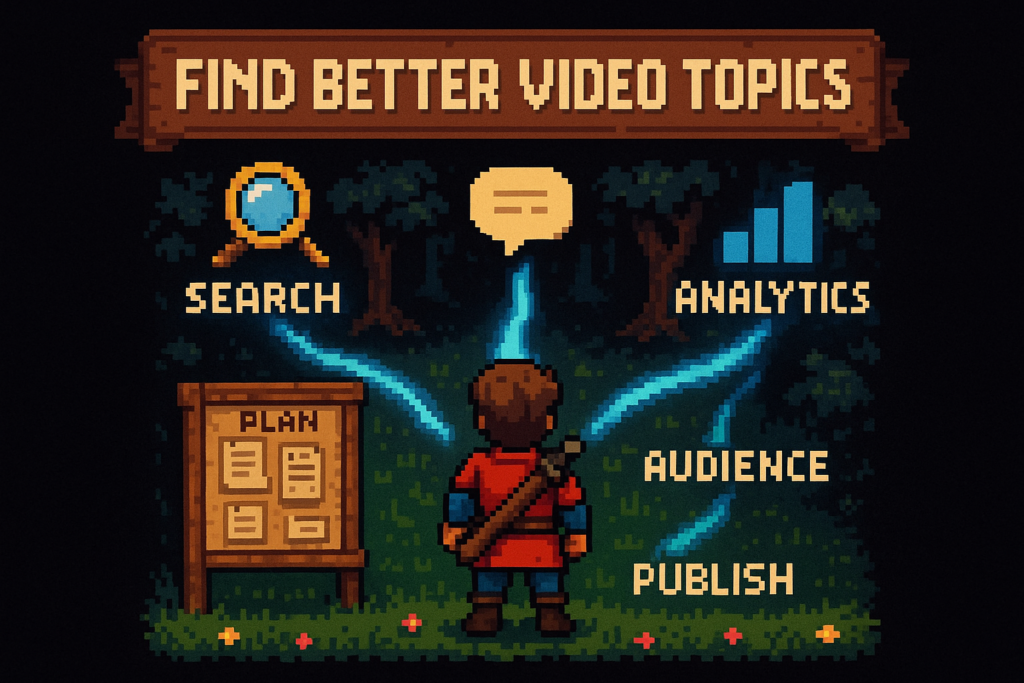
YouTube topic ideas are video concepts built around a specific audience problem, demand signal, and content angle. They come earlier in the planning process than keywords and titles, and they help creators build a repeatable pipeline instead of relying on random brainstorming.
You can usually tell when a channel is out of ideas. Uploads get random, titles get vague, and every video starts to feel like a one-off.
That usually isn't a motivation problem. It's a planning problem. Brainstorming feels productive, but it doesn't give you a repeatable way to find YouTube topic ideas your audience actually wants.
What works is simpler: research, validation, and queue-building. Once you treat ideation like a system, your channel gets more consistent, your videos connect to each other, and your next upload stops depending on luck.
How good YouTube topic ideas actually work
Topic ideas vs keywords vs video titles
Creators mix these up all the time, and it quietly wrecks planning.
A topic is the subject and audience promise. A keyword helps validate demand in YouTube Search. A title packages the click and tries to improve CTR.
If you skip straight to keywords, you end up with a spreadsheet full of phrases and no real content plan. If you skip straight to titles, you get clever packaging wrapped around weak ideas. The order matters.
Here’s the hierarchy inside the topic pipeline:
| Planning unit | What it does | Example |
|---|---|---|
| Topic | Defines the problem, angle, and promise | How to get clean audio on a small budget |
| Keyword | Validates how people search for it | best budget microphones |
| Title | Packages the click for CTR | Best Budget Microphones for YouTube That Don't Sound Cheap |
One topic can support several keywords and multiple titles. That's why a keyword list isn't the same thing as a content plan.
A tech creator might write down “best budget microphones” and think the work is done. But that phrase only tells you demand exists. The actual topic could be “how to get clean audio on a small budget.” That could become a buyer’s guide, a desk setup tutorial, or a USB vs XLR comparison.
Myth: A keyword list is the same as a content plan.
Reality: Keywords validate demand, but topics still need angle, format, and audience fit.
If you want to go deeper on phrasing and validation, read YouTube keyword research. This page stays one step earlier in the process.
A simple decision rule helps:
- Choose a topic when you're defining the problem and promise
- Choose a keyword when you're validating search demand
- Choose a title when you're packaging the click
The four traits of a strong video topic
A usable topic usually has four things going for it:
- a clear audience problem
- visible demand or a trend signal
- a distinct angle
- realistic production scope
That last one matters more than most creators admit. A brilliant concept you can't produce well this month isn't a strong candidate. It's just a nice thought.
Good topics also affect Watch Time and Audience Retention before title optimization starts. If the premise is muddy, viewers feel it fast. If the promise is sharp, the video has a better shot at holding attention because the audience knows what they're there to get.
Take a fitness creator choosing between “my workout routine” and “how to build a 30-minute dumbbell workout at home.” The second wins because it solves a specific problem, matches search intent, and opens the door to follow-ups like warm-up routines, progression plans, and beginner mistakes.
Here’s a quick gut check:
Strong topic: How to build a 30-minute dumbbell workout at home
Vague topic: My workout routine
The first can become evergreen content. The second depends mostly on personality and existing audience loyalty.
Myth: Good YouTube topic ideas come from inspiration.
Reality: Reliable ideas come from a repeatable research workflow.
Once you know what a strong concept looks like, you can stop waiting for inspiration and start building a queue on purpose.
Where to find YouTube topic ideas consistently
Search-led idea sources
Search is source layer 1 in the topic pipeline. It's also one of the fastest ways to find evergreen topics.
Start with:
- YouTube Autocomplete
- YouTube Search results
- related searches
- comment patterns on ranking videos
The goal isn't to collect phrases blindly. You're looking for repeated audience problems and recurring modifiers. Words like “for beginners,” “under $100,” “2026,” “mistakes,” “setup,” and “step by step” tell you how viewers want the topic framed.
A personal finance creator might type “how to budget” into YouTube Autocomplete and see variations around cash stuffing, zero-based budgeting, and budgeting with irregular income. Those aren't just keyword variations. They're separate problems, so they deserve separate videos.
Search-led ideation works best for problem-solving content and evergreen library building. If people keep searching the same thing month after month, that's a strong signal the topic belongs in your backlog.
The trap is turning this into pure keyword chasing. If every idea starts and ends with search volume, your channel can get useful but forgettable. Search tells you what people ask. It doesn't tell you why you should be the one answering.
For execution after ideation, keep YouTube SEO basics separate from topic planning. First choose the right subject. Then package it well.
For broader trend validation, Google Trends can help confirm whether interest is stable, seasonal, or spiking.
Audience-led idea sources
Audience demand is source layer 2, and it often builds stronger loyalty than search alone.
Mine your:
- comments
- DMs
- community post replies
- email responses
- live stream questions
You're not looking for one random request. You're looking for repeated friction. What keeps coming up? Where do viewers get stuck? What do they ask you to explain again?
A tech creator might keep seeing comments like, “Can my old laptop still handle video editing?” That becomes a topic bucket, not a one-off answer. From there, you can branch into budget editing setups, upgrade priorities, export settings for low-spec machines, and editing software that runs well on older hardware.
These audience-led topics often outperform search-led ones on Watch Time and Audience Retention because they match the trust you've already built. Your viewers aren't just asking the internet. They're asking you.
This is also where topic clustering starts to get practical. One repeated question usually points to a broader need, and that broader need can support multiple uploads.
If you want to connect these ideas into a bigger plan, content cluster strategy is the next useful read.
Channel-led idea sources from your own analytics
Source layer 3 is your own library, and most creators underuse it.
Open YouTube Analytics and review:
- top videos by views
- top videos by Watch Time
- videos with strong CTR but weak retention
- videos with strong retention but weak packaging
You're looking for patterns, not vanity wins. Which topics worked once and should've become a series? Which videos had a good idea but weak execution? Which uploads quietly held attention even though the title never really popped?
A fitness channel might notice that a video on “mobility for desk workers” didn't explode, but it held viewers unusually well. That's a signal. The topic likely has more room than the packaging did. Now you have adjacent ideas like morning mobility, lower back relief for desk workers, and beginner mobility mistakes.
This is how you find content gaps inside your own channel. Not every opportunity is brand new. Sometimes the easiest win is revisiting an idea that almost worked.
Want a cleaner way to read those signals? A basic review of YouTube Analytics helps you separate format problems from topic problems.
You can also cross-check patterns against YouTube Analytics documentation to make sure you're reading the right engagement signals.
A practical framework for validating YouTube topic ideas
Score each topic on five factors
Once you've gathered ideas, don't publish them in the order you found them. Filter them.
Use a simple 1 to 5 scoring model across five factors:
| Topic | Search demand | Competition | Monetization fit | Production effort | Series potential |
|---|---|---|---|---|---|
| How to start investing | 5 | 2 | 4 | 4 | 5 |
| Best budgeting apps this month | 4 | 3 | 5 | 3 | 2 |
| How to stop impulse spending | 4 | 4 | 4 | 5 | 4 |
A few notes on how to score:
- Search demand: Are people clearly looking for this?
- Competition: Can you realistically stand out?
- Monetization fit: Does this connect to products, services, affiliates, or your business model?
- Production effort: Can you make it well without dragging production for weeks?
- Series potential: Optional tie-breaker, but useful
The numbers don't need to be perfect. The point is consistency.
A finance creator comparing “how to start investing,” “best budgeting apps this month,” and “how to stop impulse spending” might find that the first has huge demand but brutal competition. The app roundup may monetize well but age quickly. The impulse spending topic could score best overall because it's easier to produce, fits a larger cluster, and has strong audience relevance.
Myth: The highest-volume topic is always the best next video.
Reality: The best next upload usually has the strongest blend of demand, fit, and realistic execution.
This is where random planning gets fixed. Once you score ideas the same way every time, your queue starts acting like a system.
Evergreen topics vs trend-based topics vs series topics
Not every topic should do the same job.
You need a mix of evergreen content, trend-based plays, and series ideas. Each one supports channel growth in a different way.
| Topic type | Best use | Traffic pattern | Best for |
|---|---|---|---|
| Evergreen | Long-tail library building | Steady over time | Newer channels, searchable tutorials |
| Trend-based | Capturing spikes and relevance | Fast spike, shorter shelf life | Timely reactions, news, launches |
| Series | Building repeat viewing habits | Compounds across episodes | Established trust, binge behavior |
A newer tech channel might lean heavily on searchable setup tutorials because YouTube Search can still bring in discovery. A more established creator can mix in launch reactions and recurring series because they already have returning viewers.
Think of it like running three lanes on the same highway: evergreen tutorials, trend reactions, and recurring series. Some videos rank, some spike, and some train viewers to come back. That's a healthier system than betting everything on one format.
Myth: Trending topics are always better than evergreen topics.
Reality: Trends can spike views, but evergreen topics usually build a steadier library.
If your calendar is overloaded with one type, it gets fragile fast. All-trend channels burn out. All-evergreen channels can feel flat. The best YouTube topic ideas usually come from a balanced inventory, not a mood board.
Search demand is useful, but content gaps are where channels grow
A content gap is a topic opportunity that existing videos haven't covered well, recently, or specifically enough.
That gap usually shows up in one of three ways:
- missing beginner coverage
- outdated coverage
- missing follow-up coverage after a successful video
This matters because broad demand is obvious. Opportunity isn't.
A finance creator might see endless videos on “how to invest,” but very few on “how to start investing when your income changes every month.” That's a better opening. The audience is clearer, the competition is narrower, and the angle is more useful.
You can spot gaps by reviewing competitor channels and asking:
- What beginner questions are still being skipped?
- Which high-performing topics are now outdated?
- Which successful videos never got a logical follow-up?
- Where are creators covering the head term, but missing the real-life constraint?
Google Trends can help here too. If interest is stable or rising, but the available videos feel generic or old, you've probably found a better lane than the broad head term.
A topic cluster gets much stronger when it's built around these openings instead of generic demand alone.
Paste your next video URL and see Vidrunner generate timestamps, tags, and links—free.
Example topic clusters for real creator niches
Tech channel example, from one niche to a usable cluster
“Budget tech” sounds like a niche, but it isn't a publishing plan.
A better move is to start with one validated branch, like budget desk setup, then expand it into a topic cluster. A topic cluster is a group of related videos built around one audience need, with different angles and formats.
From “budget desk setup,” a creator could build:
- cable management for small desks
- best budget desk lighting for video calls
- USB mic vs headset mic for creators
- monitor arm upgrades under $100
- desk setup mistakes that waste space
- best order to upgrade your desk setup
- budget desk accessories that actually help
- small room desk setup ideas
- desk setup for remote work beginners
- 2026 desk setup upgrades worth waiting for
Now you don't have one crowded upload. You have a month of connected content.
This is where single-video thinking loses. A creator who only publishes “Best Budget Desk Setup” once has to start over next week. A creator who builds a cluster can move from setup, to troubleshooting, to comparisons, to upgrades without leaving the niche.
Fitness channel example, building around audience problems
Fitness makes this even clearer because the audience problems repeat.
Start with something broad like “30-minute home workout,” then branch by constraint:
- for beginners
- for bad knees
- with dumbbells
- no equipment
- fat-loss focused
- mobility warm-up before the workout
- weekly progression plan
- common mistakes that stall progress
A creator can turn one seed into both search-led and retention-led content. The searchable videos bring in new viewers. The progression and follow-up videos keep them coming back.
For example, a home fitness channel might publish “30-minute home workout for beginners,” then follow it with “week 2 progression,” “best warm-up before a home workout,” and “how to modify this workout for bad knees.” That's not just more content. It's a viewing path.
Series ideas work especially well here because viewers often need repetition, structure, and progression.
Personal finance channel example, turning broad demand into specific angles
Personal finance has strong search intent, but broad topics get crowded fast.
“Budgeting tips” is too wide to be useful on its own. A tighter cluster gives you better audience fit and less direct competition.
A creator could branch budgeting into:
- budgeting with irregular income
- first paycheck budgeting
- budgeting after moving to a new city
- budgeting mistakes draining cash flow
- best budgeting tools for couples
- zero-based budgeting for beginners
- emergency fund timeline by income level
- what to cut first when expenses jump
A creator who narrows from “budgeting tips” to “budgeting with irregular income” is doing smarter planning, not shrinking the opportunity. Specificity usually improves relevance.
Google Trends can also help surface current-event angles here. If inflation, layoffs, or student loan changes spike interest, those trend signals can sit beside your evergreen library instead of replacing it.
How to generate 20 YouTube topic ideas from one niche
Step 1, start with one broad niche and list audience jobs
Pick one niche only. Not three.
Then list the jobs your viewer is trying to get done. Think in plain language. What are they trying to fix, improve, avoid, buy, understand, or choose?
A tech creator starting with “home office gear” might list:
- improve audio
- reduce desk clutter
- add better lighting
- upgrade on a budget
- make video calls look more professional
Then separate those jobs by viewer type:
- beginner
- intermediate
- urgent problem
- budget-constrained
- tool-specific
This gives you raw material with structure. You're no longer brainstorming random YouTube topic ideas. You're mapping audience needs.
Step 2, pull search and trend signals for each branch
Now validate the branches with external signals.
Use:
- YouTube Autocomplete
- YouTube Search
- Google Trends
Look for recurring phrasing, seasonal spikes, and modifiers that sharpen intent. Also note whether each branch looks evergreen, trend-based, or series-friendly.
A finance creator checking “emergency fund” might find related searches around how much to save, how fast to build it, where to keep it, and whether to invest it. That one branch can quickly become four or five distinct videos.
This is also where you document adjacent questions. Those side questions often become the best follow-up uploads.
Step 3, review your channel data for proven angles
External demand matters, but your channel still gets a vote.
Check YouTube Analytics for:
- formats with strong Audience Retention
- topics that performed well once but never got expanded
- videos with weak CTR but strong watch behavior
- videos with strong clicks but weak satisfaction
A fitness creator might notice that short warm-up videos hold viewers longer than expected. That tells you mobility and prep content may deserve higher priority than a flashy challenge video that spikes once and disappears.
Most creators miss this step. They get excited by new ideas and ignore the evidence already sitting in their library. That's like owning a map and still driving in circles.
Step 4, score, sort, and turn the list into a content queue
Now apply the scoring model and sort the list.
Your goal isn't to pick the single perfect idea. It's to build a workable queue with variety:
- quick wins
- evergreen anchors
- one trend play
- one series starter
- logical follow-ups
A creator might end a planning session with 22 possible topics, then score them and narrow the list to six worth filming this month. The final queue could include one searchable tutorial, one timely response, two cluster follow-ups, and two series candidates.
That's the difference between a random idea list and a real YouTube ideation workflow.
Use this checklist when turning one niche into a backlog:
- choose one broad niche
- map audience jobs
- add constraints like budget, time, and experience level
- validate with search and trend signals
- review channel data for proven angles
- score each topic
- sort into evergreen, trend, and series buckets
- pick the next 3 to 5 for production
- keep 10 to 20 ideas in reserve
Planning 10 to 20 topics ahead usually gives you enough flexibility without turning the backlog into a museum of stale ideas.
When you're ready to scale, the bottleneck usually shifts from finding topics to publishing them cleanly.
Paste your next video URL and see Vidrunner generate timestamps, tags, and links—free.
FAQ
What are YouTube topic ideas?
They’re video concepts built around audience problems, search demand, or channel opportunities. They’re broader than keywords and earlier than titles in the planning process.
A keyword helps validate demand. A topic shapes the angle and promise. A title packages the click.
How do you find YouTube topic ideas that people actually search for?
Start with YouTube Autocomplete, YouTube Search results, related searches, and Google Trends. Then compare that external demand with competitor content gaps and your own YouTube Analytics.
The best ideas usually sit where search demand, audience need, and channel fit overlap.
What is the difference between evergreen and trend-based YouTube topics?
Evergreen topics have a longer shelf life and tend to bring steady traffic over time. Trend-based topics usually spike faster, but they fade sooner.
Evergreen content is better for building a searchable library. Trend-based content is better for relevance and short-term momentum. Most channels need both.
How many YouTube topic ideas should you plan before recording videos?
A backlog of 10 to 20 ideas is a good working range for most creators.
That gives you enough flexibility to react to trends, test formats, and avoid last-minute scrambling, without overplanning months of content that may stop being relevant.
Can Vidrunner help turn rough topic ideas into publish-ready videos?
Yes. Once you've chosen the topic and recorded the video, Vidrunner helps with the messy post-upload work.
Paste a YouTube URL and it generates timestamps, keyword-rich tags, and Amazon affiliate links you can paste into YouTube Studio.
How much time does Vidrunner save in the YouTube publishing workflow?
Vidrunner is built to cut the manual cleanup stage down to about 60 seconds for many uploads, especially compared with scrubbing for chapters, guessing tags, and building product links by hand.
The exact time saved depends on video length and how many products you mention. Still, the point is simple: you stop leaving the finishing work for later.
Does Vidrunner help with tags and chapters after I choose a topic?
Yes. Vidrunner generates three outputs after you paste the URL:
- chapter timestamps for long-form videos
- keyword-rich tags
- affiliate product links with your tracking ID
For Shorts, it skips chapters because the format is too short, but tags and product links still apply.
Can I use Vidrunner if I already have a backlog of topic ideas?
Absolutely. If your planning is already solid, Vidrunner helps on the publishing side.
That includes new uploads and older videos you want to backfill with better timestamps, tags, and affiliate links. It's especially useful when your backlog is healthy but your post-upload workflow is slowing you down.