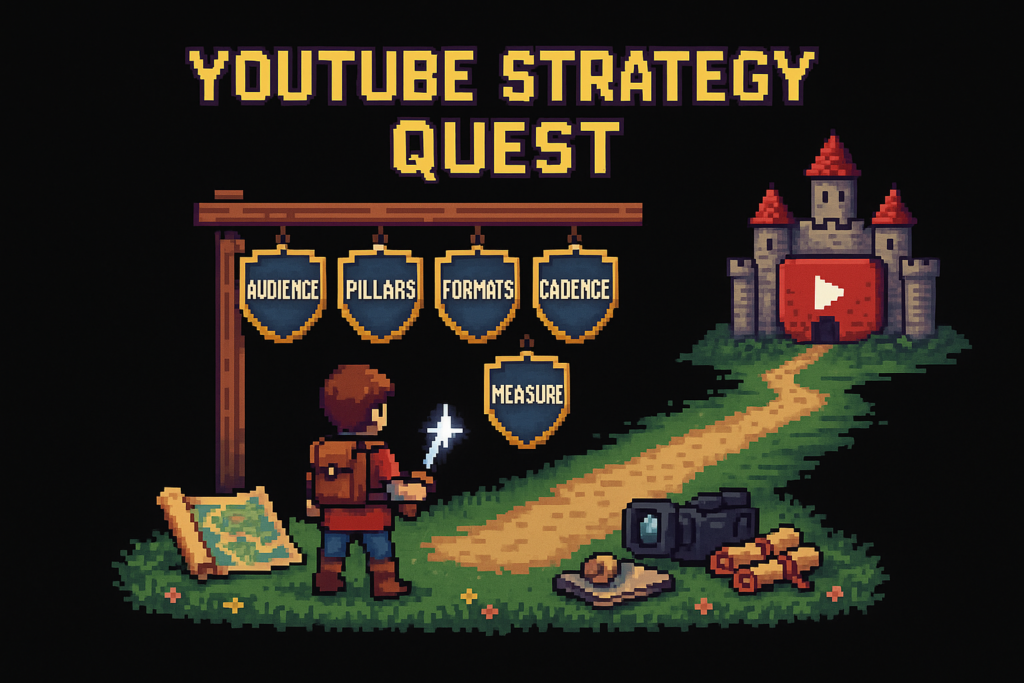
Video content strategy is the system a creator uses to define audience, topic pillars, formats, publishing cadence, and measurement for a YouTube channel. On YouTube, a strong strategy helps you choose better topics, publish more consistently, and learn faster from each upload.
You can usually spot a weak video content strategy in the upload grid. One tutorial, then a reaction, then a random Short, then silence for three weeks. That's not a strategy. That's a backlog with Wi-Fi.
A backlog isn't a strategy, and consistency without direction just creates more random uploads. Usually, the problem isn't effort. It's that creators start with what to post this week before they've decided what the channel is trying to become.
This guide gives you a repeatable planning system you can run weekly. Not a giant brand document. Not a color-coded spreadsheet hobby. Just a working system for choosing topics, assigning formats, setting cadence, and learning from the results.
Why video content strategy matters for YouTube growth
A channel content system does two jobs at once. It protects your production time, and it gives YouTube cleaner signals to learn from.
Before the framework, it helps to separate four things creators often mash together:
| Function | What it answers | What it doesn't answer |
|---|---|---|
| Strategy | Who the channel serves, what it covers, how it wins | Exact publish dates |
| Editorial calendar | When each upload goes live | Whether the idea fits the channel |
| Production workflow | How the video gets scripted, edited, uploaded, and cleaned up | What the channel should be known for |
| SEO optimization | How titles, tags, descriptions, and chapters improve discoverability | What topics deserve to exist in the first place |
Strategy reduces random uploads and wasted production time
Random ideation creates disconnected uploads. Viewers don't subscribe to chaos. They subscribe to a promise.
If one week is a camera review, the next is an editing rant, and the next is a trade show Short with no connection to anything else, the channel starts to feel accidental. Subscribers can't predict what's coming, and you can't reuse what you learned from one upload to improve the next.
Small channels feel this first. If you're publishing four videos a month, one bad bet can eat a quarter of your output. That's why posting more isn't the same as having a plan. Volume amplifies whatever system is already there.
Here's the myth worth killing early: posting more videos isn't the same as having a strategy. A strategy decides what to publish, for whom, and why. The calendar just schedules those decisions.
A solo creator I know had exactly this problem. He posted one desk camera review, one complaint video about Final Cut, and one Short from a conference floor. None of them were bad. Together, they looked like three different channels. Once he grouped his ideas into two pillars, creator desk gear and editing workflow, then assigned one repeatable review format, the grid started looking like a program instead of a pile of uploads.
If you want the planning mechanics after this, our guide to YouTube content planning goes deeper.
Strategy improves what YouTube can learn from your channel
YouTube Analytics gets a lot more useful when your inputs stop changing every week.
If you alternate between 45-minute tutorials, 20-second comedy Shorts, product reviews, and livestream clips, your CTR, Audience Retention, and Average View Duration are hard to interpret. Was the drop caused by the topic, the length, the format, the audience mismatch, or the thumbnail? You can't tell, because too many variables moved at once.
Repeated topics and recurring formats create cleaner feedback loops. Now impressions, click-through rate, retention curves, and AVD start telling a coherent story. One upload teaches the next one what to do.
Take a creator who alternated long software tutorials with unrelated Shorts. They kept asking why retention was all over the place. Once they grouped uploads by pillar and format, the picture changed fast. Their tutorial series had decent clicks but weak first-minute retention, which pointed to intros and structure. Their Shorts had strong reach but weak conversion into long-form sessions, which pointed to topic alignment.
Compare that to treating YouTube SEO as the whole answer. SEO helps packaging and discovery. It doesn't decide what your channel should repeatedly make. That's why creator analytics and the YouTube SEO guide work better after the strategy is stable.
For YouTube's own guidance on performance metrics, see YouTube Analytics in YouTube Studio and YouTube Creator Academy.
The result is simpler decisions after every upload, not more guesswork.
The Five-Layer Video Strategy Stack
At Vidrunner, we've seen the same pattern across creator workflows. People start at cadence. They ask how often they should post before they've defined audience, topic lanes, or repeatable formats.
That's backwards.
Think of channel planning like warehouse ops. If your bins aren't labeled, shipping faster just sends the wrong boxes out sooner. The same thing happens on YouTube when you increase output before the earlier layers are clear.
Here is the operating model:
| Layer | Decision | Output |
|---|---|---|
| Audience | Who the channel serves, what problem it solves | Audience statement |
| Pillars | Which recurring topic lanes the channel covers | 3 to 5 topic buckets |
| Formats | How those topics get packaged | Series types, tutorials, reviews, Shorts |
| Cadence | How often each format ships | Weekly publishing mix |
| Measurement | How results are reviewed and adjusted | Monthly review loop |
Skip a layer and the downstream work gets messy. Clear the Five-Layer Video Strategy Stack, and topic selection gets a lot less chaotic.
Layer 1, audience
This is the base layer. Every other decision inherits from it.
A useful audience definition has three parts: the viewer's problem, their skill level, and their reason for coming back. "People who like tech" isn't an audience. It's a category page.
A better version sounds like this: budget-conscious home office buyers who want practical setup advice without enterprise fluff. Now topic selection gets easier. So does packaging. So does monetization.
You can pressure-test this in YouTube Analytics. Look at which videos attract returning viewers, not just one-off impressions. If your best-performing uploads all serve beginners trying to set up a workspace, but you're scripting advanced creator business commentary, your channel is arguing with its own data.
Audience-first planning beats creator-mood publishing every time. As a result, pillar decisions get much easier.
Layer 2, content pillars
A content pillar is a recurring topic lane that helps viewers understand what your channel covers and helps you decide which ideas belong.
Most creators need three to five. Fewer than that and the channel can feel narrow. More than that and the plan turns back into a junk drawer.
For a productivity creator, the pillars might be desk setups, workflow software, and creator systems. That doesn't mean every video is identical. It means every idea has to earn its place inside one of those lanes.
This is where trend-chasing usually breaks channels. A trend can be useful. It just shouldn't become the steering wheel. If a topic doesn't fit a pillar, it probably belongs on another channel, another platform, or nowhere at all.
One creator I worked with had a list of 60 ideas. Once we sorted them into three lanes, half got cut immediately. That wasn't a loss. It was relief. Pillars create topical authority and audience expectations.
Pillars tell you what to cover. Formats decide how to package it.
Layer 3, formats
Topics and formats aren't the same thing. "Desk setups" is a pillar. "3 tools tested this week" is a format.
This layer matters because not every topic deserves the same structure. Some ideas want a fast comparison. Some want a deep tutorial. Some work best as a recurring series. Some should be a Short and nothing more.
Repeatable show types reduce planning friction. Instead of reinventing the wheel every upload, you build a few proven containers and keep filling them.
A simple example: one pillar becomes a weekly "3 tools tested" series. Another becomes monthly deep tutorials with Video Chapters. A third becomes Shorts that test hooks or answer one narrow question. Same audience, different packaging.
Series-based programming also makes your grid easier to read. Viewers start recognizing patterns. That's good for return behavior, and it's good for your own production sanity. If you want the packaging side in more detail, our YouTube SEO guide covers titles, tags, and chapters after this decision.
Once formats are stable, cadence becomes a capacity decision instead of a guilt decision.
Layer 4, cadence
Publishing cadence should match production reality, not your best-case fantasy.
This is where creators often overpromise. They commit to three long-form videos a week because that sounds serious, then disappear for twelve days because editing took longer than expected. A sustainable publishing strategy is better than an ambitious one you can't survive.
Cadence also includes mix, not just volume. One long-form tutorial, two Shorts, and one recurring series slot is a cadence. "Post more" isn't.
A creator I know stopped promising three polished long videos each week and shifted to one long-form tutorial, two Shorts, and one recurring comparison slot every other Friday. Output became sustainable. The channel stopped vanishing for weeks at a time. More importantly, the audience knew what to expect.
Here's a sample weekly matrix:
| Day | Format | Pillar | Job |
|---|---|---|---|
| Monday | Short | Workflow software | Test a hook or answer one quick question |
| Wednesday | Long-form tutorial | Creator systems | Build depth and watch time |
| Friday | Short | Desk setups | React to a timely question or product |
| Sunday | Recurring series | Workflow software | Reinforce return viewing |
If you need help mapping this into an actual schedule, start with YouTube content planning.
Cadence only matters if you can measure whether the mix is working.
Layer 5, measurement
Measurement closes the loop. Without it, the Five-Layer Video Strategy Stack is just a planning exercise.
The mistake here is reviewing each upload like it's a referendum on the whole channel. One video can underperform for a dozen reasons. What matters is whether a pillar or format is producing repeatable results.
Use metrics by role:
| Metric | What it usually signals | Strategic question |
|---|---|---|
| CTR | Title and thumbnail fit | Is the packaging strong for this topic or format? |
| Audience Retention | Structure, pacing, expectation match | Did the video deliver what the click promised? |
| Average View Duration | Depth and watch value | Is this format earning enough time for its length? |
| Impressions | Distribution potential | Is YouTube finding enough likely viewers? |
| Publishing consistency | Operational reliability | Can the system ship on time? |
A quick definition: Average View Duration is the average amount of time viewers spend watching a video. It's useful for comparing how much watch value different formats earn, especially when lengths vary.
Here's a realistic read: one pillar gets high CTR but weak retention. That's usually a packaging promise the video doesn't fully cash. Another pillar gets fewer clicks but strong watch time. That's often a scaling opportunity: better thumbnails, stronger titles, more of that lane.
Review by pillar and format, not just by individual video. That's where creator analytics starts becoming operational instead of emotional.
Next, turn the stack into a topic selection workflow you can repeat.
How to choose video topics that fit your channel
Good topic selection isn't brainstorming harder. It's filtering better.
Start with audience problems, not blank-page brainstorming
Blank-page ideation is overrated. Most strong topics are already sitting in your comments, email inbox, search queries, customer calls, and recurring friction points.
Look for repeated questions. What do viewers keep asking before they buy, before they start, or after they get stuck? Those are topic signals.
A creator in the software niche kept a running list of viewer questions from comments and email. Instead of chasing random inspiration, they sorted each question into one of three pillars. After a month, the strongest repeats were obvious: setup mistakes, tool comparisons, and workflow templates. That became the next month's plan.
This works because audience-first video planning ties ideas to intent. Beginner questions often make strong search-driven tutorials. Mid-funnel comparison questions often fit reviews. Repeated objections can become Shorts or myth-busting clips.
Use pillar fit as the first filter. If the idea doesn't belong to a lane, don't force it into the schedule. Good ideas get easier to spot when you stop treating every topic type the same.
Use a decision table for evergreen, trend, and monetization-driven topics
Not every topic should do the same job.
Evergreen videos build library value. Trend videos create reach spikes. Monetization-driven videos support affiliate or sponsor alignment when they fit the audience. A healthy YouTube programming plan usually needs all three.
Here's a simple decision table:
| Topic type | Best use | Shelf life | Speed needed | Revenue fit | Example |
|---|---|---|---|---|---|
| Evergreen | Search, long-tail traffic, library depth | Long | Moderate | Medium to high | "Best budget microphones for YouTube" |
| Trend | Reach, timeliness, discovery | Short | High | Low to medium | "My take on the new Sony launch" |
| Monetization-driven | Affiliate or sponsor alignment | Medium to long | Moderate | High | "Camera A vs Camera B for beginners" |
A gear creator might run one evergreen buying guide, one trend reaction to a product launch, and one comparison video that supports affiliate revenue. That mix keeps search traffic alive while still giving the channel timely moments.
This is also where monetization can stay clean. If you mention products, tools like Lasso and Vidrunner can support the link side after the strategy is set. But the revenue angle shouldn't rescue a weak topic. Pillar fit and audience demand still come first.
Myth: trends should drive the whole channel. Reality: trends can fill gaps, but pillars build durable audience expectations.
A topic is only half the decision. The format and slot matter too.
Build a repeatable ideation backlog without turning it into a junk drawer
Most creators don't have an idea problem. They have an unscored backlog problem.
A useful backlog has one home and a few tags. For each idea, track pillar fit, format fit, effort, and expected payoff. That's enough to separate interesting from publishable this quarter.
One creator had 80 notes in their phone and still said they had no ideas. Once each note got tagged by pillar, format, and effort, the next four uploads were obvious. The backlog stopped being a storage unit and started acting like a queue.
A simple scoring model works:
- Does it fit a pillar?
- Does it match a proven format?
- Can you ship it with current capacity?
- Does it serve audience demand, revenue, or both?
Review the backlog weekly, not only when you're desperate. That's how a content planning workflow stays calm instead of reactive.
Format and cadence, building a publishing system you can sustain
Once topics are selected, the next job is assigning each one the right role in the schedule.
Match Shorts, long-form, and series content to different jobs
Creators often split Shorts and long-form into separate mental worlds. That's usually a planning mistake.
One strategy can support all three. They just need different jobs.
Shorts are good for testing hooks, reacting quickly, and reaching new viewers. Long-form builds depth, trust, and stronger watch time. Series content creates repeatable expectations and gives subscribers a reason to come back on purpose.
A finance creator might use Shorts for quick myth-busting clips, long-form for full breakdowns, and a weekly Q&A series for retention. Same audience. Same pillars. Different packaging.
This is why "I publish Shorts and long-form, so one strategy won't work" doesn't hold up. The fix isn't separate channels in your spreadsheet. It's clear roles for each format.
If you want to support this with packaging details, the YouTube SEO guide is the next layer down.
Set a cadence based on production capacity, not ambition
Start with available hours, not motivational speeches.
How much time do scripting, recording, editing, review, thumbnails, and upload cleanup actually take? Once you know that, you can build default publishing slots by format and pillar.
A two-person team might want four long-form uploads a week. After mapping real production hours, they may realize they can reliably hit two long-form videos and three Shorts. That's not a downgrade. That's a schedule they can keep for eight straight weeks.
The old model is overcommitted cadence: promise a lot, miss often, and call it inconsistency. The better model is sustainable cadence: protect quality, keep the rhythm, and survive busy weeks.
Your editorial calendar should reflect operational truth. If the system breaks every time life gets noisy, the cadence was never real.
Consistency gets easier when post-upload work stops eating an extra hour.
Turn the strategy into a post-upload workflow
A strategy that dies after recording isn't a strategy. It's pre-production optimism.
Post-upload tasks should reinforce the plan: chapters, tags, descriptions, affiliate links, and metadata review. But this is where a lot of creators fall apart. They finish the hard part, upload the file, then skip cleanup because it's late and tedious.
That's not a small issue. Missing Video Chapters hurts usability. Weak tags reduce discoverability. Unlinked product mentions leave money on the table. Manual cleanup also creates inconsistency, because every upload gets a different level of care.
We've seen this pattern across creator workflows. The plan is fine. The finish line is messy.
A creator with a solid programming plan kept publishing without chapters or product links because cleanup happened at midnight. Vidrunner fixed the operational gap. Paste the uploaded YouTube URL, get copy-paste timestamps, tags, and affiliate links, then drop them into YouTube Studio. If you want the product details, see Vidrunner features and our guide to a YouTube timestamp generator.
Compare that to the old model: scrub the video manually, guess tags from memory, hunt down product URLs, promise yourself you'll fix the description tomorrow, then don't.
Measure the strategy, not just the last video
The point of measurement isn't to obsess over one upload. It's to improve the next cycle.
Map strategy decisions to CTR, retention, AVD, and consistency
Each metric answers a different operational question.
CTR tells you whether the title and thumbnail matched the topic well enough to earn the click. Audience Retention tells you whether the structure and pacing held attention after the click. Average View Duration helps compare depth and watch value across formats. Publishing consistency tells you whether the system can ship.
A tutorial series might get strong impressions and weak CTR. That's usually a packaging issue. A product comparison series might get lower impressions but excellent retention. That often means the content is strong for the right viewers, and better packaging could scale it.
Here's the practical map:
| Strategy decision | Primary metric | What to change if weak |
|---|---|---|
| Topic choice | Impressions, returning viewers | Recheck pillar fit and audience demand |
| Title and thumbnail | CTR | Rework packaging, not necessarily the topic |
| Intro and structure | Audience Retention | Tighten first minute, improve expectation match |
| Format depth | Average View Duration | Adjust length, pacing, or format choice |
| Schedule reliability | Publishing consistency | Reduce volume or simplify workflow |
Better measurement makes the next planning cycle faster.
Review performance by pillar and format, not only by individual upload
Single-video analysis is emotional. Pattern analysis is useful.
Grouping by pillar shows which lanes are producing durable wins. Grouping by format shows whether the issue is topic choice or packaging style. Monthly review beats day-to-day reactions because it smooths out noise.
A creator might think the channel is underperforming because the latest upload flopped. But the monthly review shows one pillar is carrying subscriber growth while another has quietly stalled for twelve videos. That's a strategic decision, not a thumbnail panic.
This is where the Five-Layer Video Strategy Stack proves its value. If you review uploads as isolated events, you keep making isolated fixes. If you review them as parts of a system, you start seeing which lanes deserve more investment.
Compare that to guessing from memory after every upload.
Use a simple optimization loop after every publishing cycle
You don't need a giant dashboard ritual. You need a repeatable review loop.
After each cycle, ask four questions:
- What got clicked?
- What got watched?
- What got finished?
- What got shipped on time?
Then make small changes: one packaging test, one topic shift, one cadence adjustment, one workflow fix.
A creator noticed that Shorts were driving discovery but not converting viewers into long-form sessions. Instead of abandoning Shorts, they changed the Short topics to align tightly with the weekly series. Then they tracked whether long-form impressions and session starts improved over the next month. That's structured optimization, not random tinkering.
If your strategy is solid but your cleanup is messy, automation is the obvious next fix.
Common creator objections
These objections usually sound reasonable. Most of them are system problems in disguise.
"I don't have enough time to plan a full video strategy"
You don't need a giant planning doc. You need five clear decisions in simple form.
Start with one audience statement, three pillars, and a two-week cadence. That's enough to stop bad production starts. Planning is cheaper than editing the wrong video.
A creator can easily spend six hours scripting a video that never fit the channel. Thirty minutes of planning would have killed the idea early and protected the week.
Start smaller, but start with a system.
"My channel is too small for a formal strategy"
Small channels need tighter feedback loops, not looser ones.
If you have 800 subscribers and limited production time, each upload is more expensive. You have fewer impressions, less data, and less room for random bets. That makes a simple YouTube content strategy more useful, not less.
Strategy doesn't mean corporate overhead. It means your next ten uploads teach you something instead of pulling in ten directions.
A small channel with a system usually learns faster than a bigger one with chaos.
"I should follow trends instead of building content pillars"
Trends are inputs. They aren't the operating model.
Pillars create durable expectations and a searchable archive. Trend topics work best when they map to an existing lane. A camera creator covering a new product launch inside a budget creator gear pillar can get reach without losing the plot.
Evergreen topics build the library. Trend-driven topics create spikes. You usually want both, but not in equal control.
Use trends as fuel, not as your steering wheel.
"I publish Shorts and long-form, so one strategy won't work"
It can, if the audience and pillars stay unified.
Shorts and long-form don't need separate strategy documents. They need separate roles. A creator can use Shorts to test hooks from upcoming long-form tutorials, then use the full video to deliver depth. Same pillar, different job.
This is one of the cleaner wins in a good creator content system. Same channel strategy, different format jobs.
"I already have ideas, I just need to stay consistent"
Usually, consistency problems come from unclear prioritization and bloated workflows.
Ideas aren't the bottleneck if they don't map to pillars, formats, and slots. And even good ideas won't ship consistently if every upload needs custom planning, custom formatting, and manual YouTube Studio cleanup.
A creator can have 50 ideas and still miss uploads because the execution layer is chaotic. Once the workflow is standardized, consistency improves without needing more inspiration.
Consistency usually breaks in the system, not in your motivation.
"Strategy sounds useful, but I need a workflow I can actually run every week"
That's the right objection.
Weekly strategy should fit into a simple rhythm: review last week's metrics, choose the next topics, assign formats, schedule slots, then run post-upload cleanup. Tools should remove repetitive steps, not replace judgment.
A creator can do this every Monday in under an hour. Review CTR and retention, lock the next two uploads, assign supporting Shorts, then use Vidrunner after upload for timestamps, tags, and product links. That's a real workflow. It survives contact with real life.
FAQ
What is a video content strategy?
It's the system a creator uses to decide who a channel serves, what topics it covers, which formats it publishes, how often it posts, and how success gets measured. On YouTube, that usually means connecting audience needs, content pillars, recurring formats, publishing cadence, and post-upload measurement.
How is a video content strategy different from a content calendar?
A strategy makes the decisions. A content calendar schedules them. If your calendar says "publish Tuesday," but you haven't defined audience, pillars, or format roles, you have a schedule without a plan.
What should a video content strategy include for YouTube?
At minimum: an audience definition, 3 to 5 topic pillars, a few repeatable formats, a realistic publishing mix, and a measurement loop using YouTube Analytics. You should also know what success looks like by pillar and format, not just by individual upload.
How often should you publish videos as part of a strategy?
As often as your production capacity can support without breaking quality or disappearing for weeks. For many creators, one strong long-form video plus supporting Shorts is better than an unrealistic promise of daily uploads.
How do you choose video topics that fit your channel?
Start with audience problems and repeated questions. Pull ideas from comments, search behavior, customer friction, and recurring objections. Then filter each idea by pillar fit, format fit, effort, and expected payoff.
Can Vidrunner help execute a video content strategy after planning is done?
Yes. Vidrunner handles the post-upload cleanup that often breaks consistency: timestamps, keyword-rich tags, and affiliate product links generated from a YouTube URL. That makes it easier for the strategy to show up correctly inside YouTube Studio.
Does Vidrunner work for Shorts and long-form videos?
Yes. For long-form videos, Vidrunner can generate timestamps, tags, and affiliate links. For Shorts, it skips chapters because the format is too short, but it still generates tags and product links when products are mentioned.
How quickly can a creator start using Vidrunner after signing up?
Very quickly. Upload your video to YouTube, paste the URL into Vidrunner, and get copy-paste outputs in about 60 seconds. You don't need to rebuild your workflow to start using it.